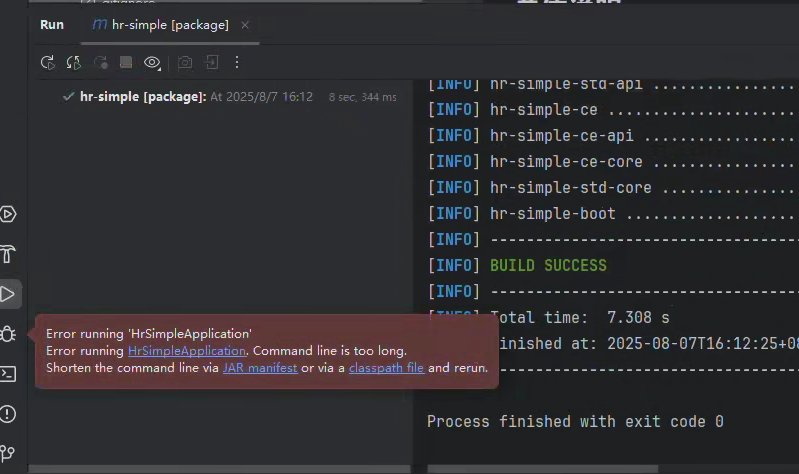
I. Windows Error: Command line is too long
If the following error occurs when starting on Windows, simply click on "JAR manifest"
II. Error: "Environment check failed. Please modify according to the above prompt information"
Root Cause:
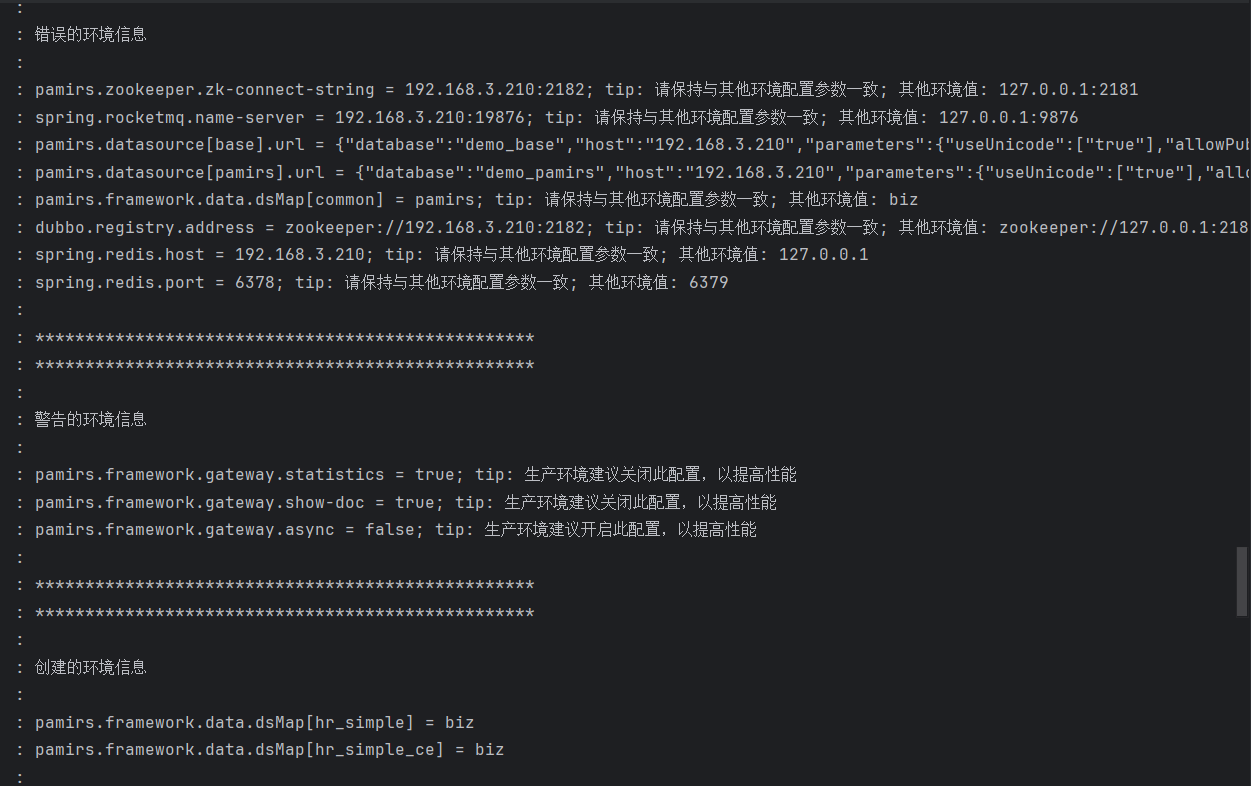
- Oinone performs an environment check during startup. The check fails due to inconsistent middleware and versions under the same base database and Redis instance.
Locating the Specific Error:
- After seeing the error message, scroll up through the logs (i.e., check earlier logs) to find the "Incorrect environment information" entry, which will print the specific details of the environment inconsistency.
Solution:
- Modify the configuration in the project's YAML file to ensure that the middleware configuration and database (DB) configuration are consistent across the same environment.
III. Error: "Database creation failed"
Root Cause:
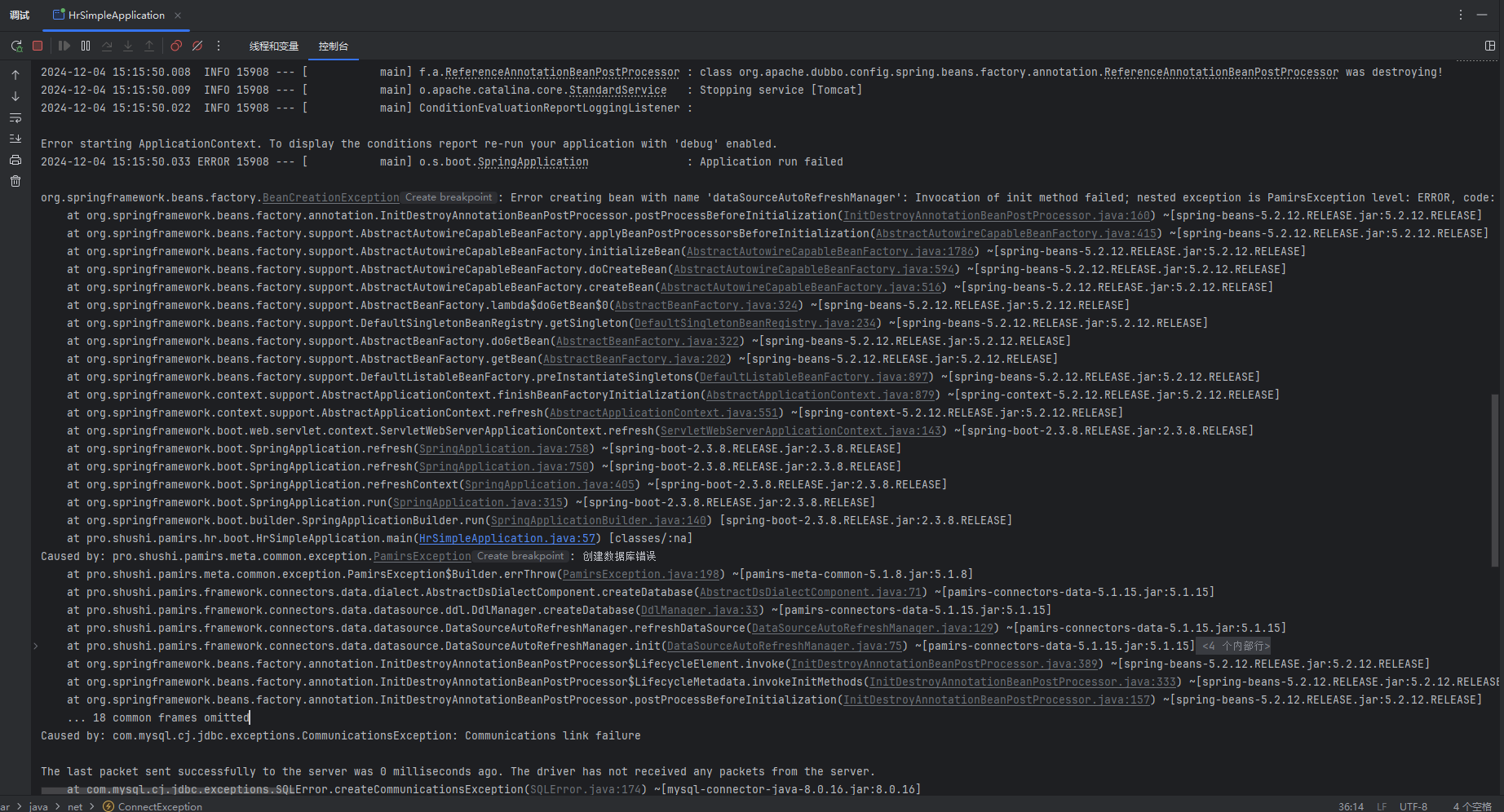
- Possible network connectivity issues; or the firewall is enabled, preventing connection to the database.
Solution:
- Check network connectivity.
- If a firewall is enabled, disable it using the command:
systemctl stop firewalld, or open the corresponding port.
IV. Error: "Metadata protection mode is enabled in the public environment"
xml
Caused by: java.lang.UnsupportedOperationException: Metadata protection mode is enabled in the public environment. The local development environment must be configured with [pamirs.distribution.session.ownSign]
    at pro.shushi.pamirs.boot.standard.service.MetadataProtectedChecker.unsupportedLocalOperation(MetadataProtectedChecker.java:70)
    at pro.shushi.pamirs.boot.standard.service.MetadataProtectedChecker.process(MetadataProtectedChecker.java:63)
    at pro.shushi.pamirs.boot.common.spi.service.boot.DefaultBootModuleLifecycleBegin.run(DefaultBootModuleLifecycleBegin.java:35)
    at pro.shushi.pamirs.boot.common.process.PamirsBootMainProcessor.lambda$installOrLoad$2(PamirsBootMainProcessor.java:89)
    at pro.shushi.pamirs.boot.common.spi.api.boot.BootModuleLifecycleAroundApi.run(BootModuleLifecycleAroundApi.java:30)
    at pro.shushi.pamirs.boot.common.process.PamirsBootMainProcessor.installOrLoad(PamirsBootMainProcessor.java:66)
    at pro.shushi.pamirs.boot.common.initial.PamirsBootMainInitial.installOrLoad(PamirsBootMainInitial.java:119)
    at java.util.concurrent.CompletableFuture$AsyncRun.run$$$capture(CompletableFuture.java:1640)
    at java.util.concurrent.CompletableFuture$AsyncRun.run(CompletableFuture.java)
    at java.util.concurrent.CompletableFuture$AsyncRun.exec(CompletableFuture.java:1632)
    at java.util.concurrent.ForkJoinTask.doExec$$$capture(ForkJoinTask.java:289)
    at java.util.concurrent.ForkJoinTask.doExec(ForkJoinTask.java)
    at java.util.concurrent.ForkJoinPool$WorkQueue.runTask(ForkJoinPool.java:1056)
    at java.util.concurrent.ForkJoinPool.runWorker(ForkJoinPool.java:1692)
at java.util.concurrent.ForkJoinWorkerThread.run(ForkJoinWorkerThread.java:175)Root Cause:
A normal protection prompt from the metadata protection mechanism in the public environment, designed to prevent accidental modification of metadata.
Solution:
(I) For Test Environment Startup or Experience Phase
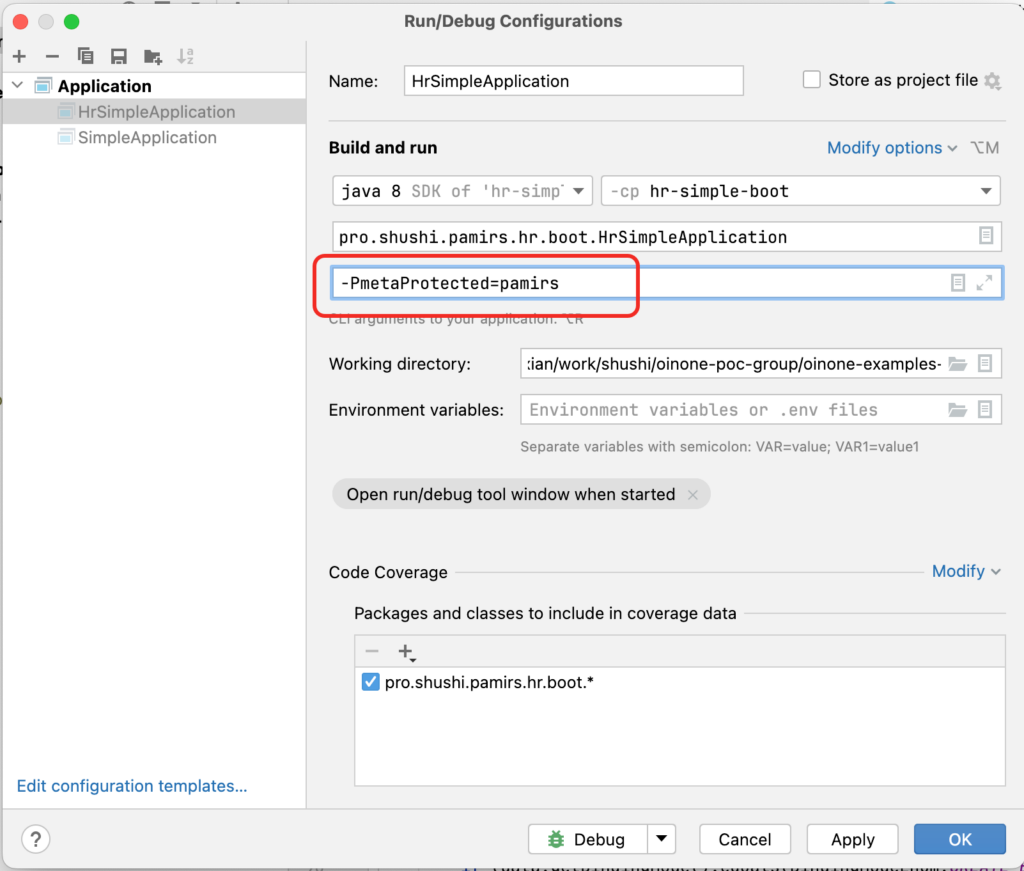
Add the Program arguments -PmetaProtected=pamirs to the startup configuration before launching.