In any web application, a routing system is an essential component. In Oinone Kunlun, in addition to the single-page application routing under the /page route implemented through the navigation action (ViewAction), it also provides other independent routing pages such as the login page (/login) and the forgot password page (/forget).
Ⅰ. Built-in Routes
Oinone has built-in some routing paths and routing components that support the basic functions of the system:
- /login: Login page. (
LoginWidget) - /forget: Forgot password page. (
ForgetPasswordWidget) - /first: First login password reset page. (
FirstResetPasswordWidget) - /debug: Debug page. (
DebugMainViewWidget) - /shared: Sharing page. (
SharedMainViewWidget)
(Ⅰ) Login Page
The login page is the entry page for users to enter login information when they are not logged in.
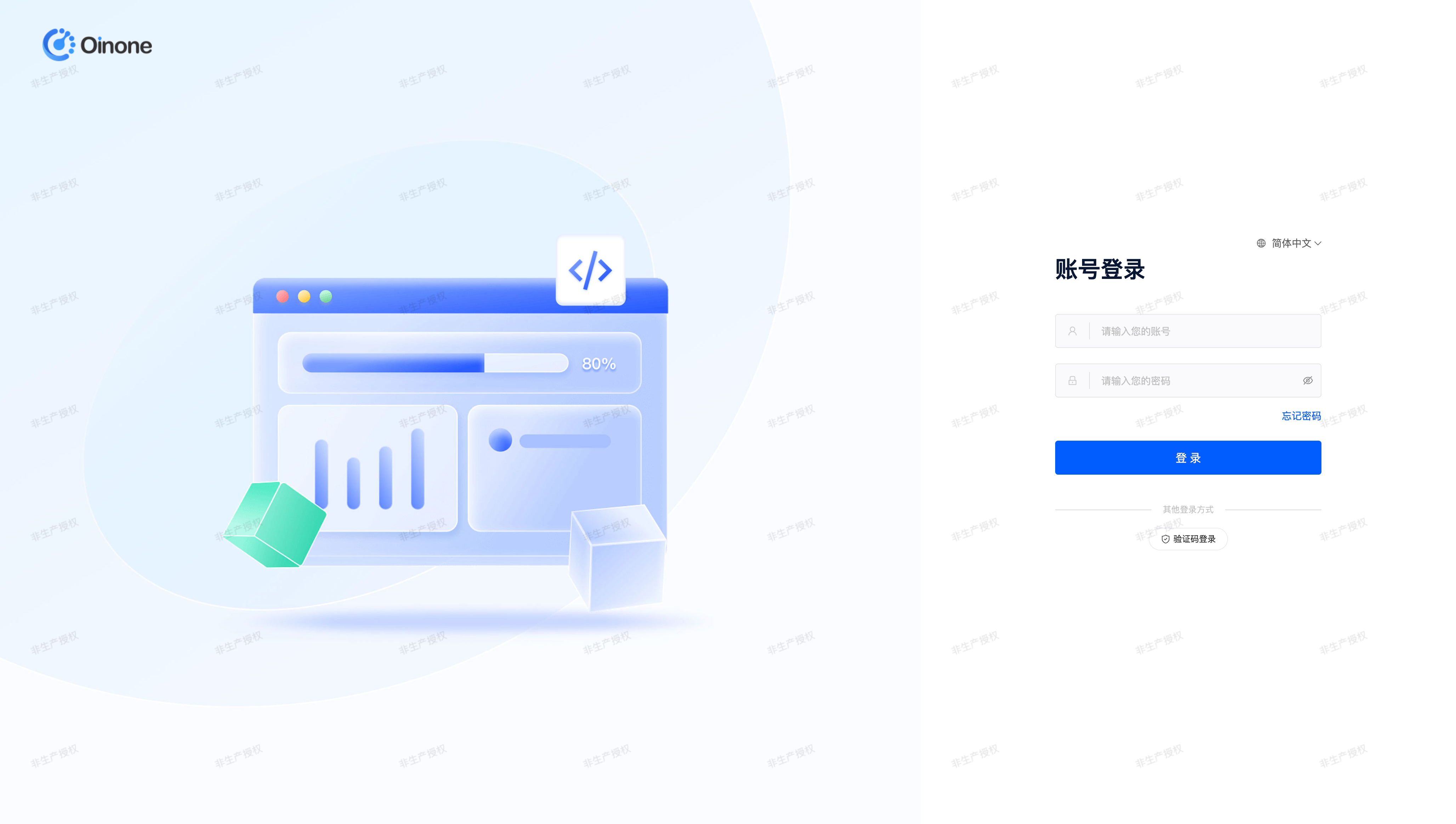
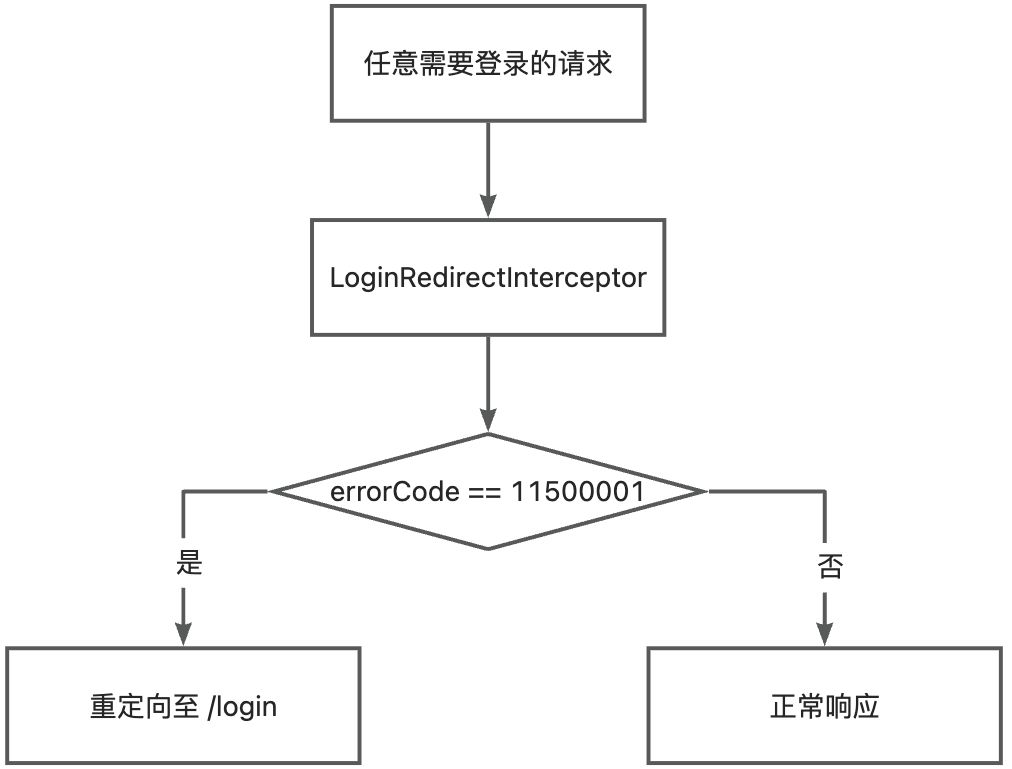
Diagram of Redirecting to Login Page
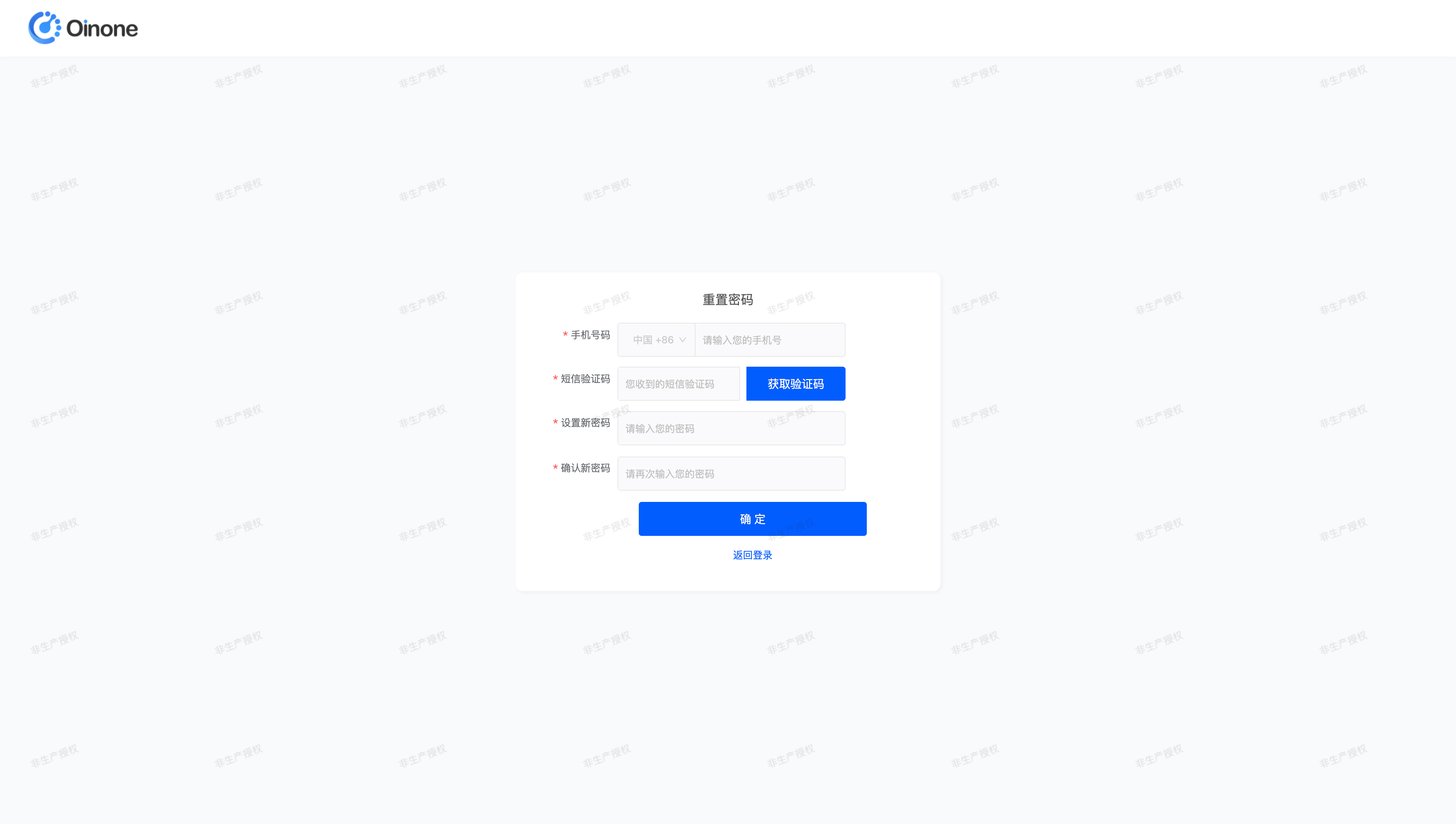
(Ⅱ) Forgot Password Page
When a user forgets their password, they can reset it through some authentication methods. The built-in forgot password page of the system resets the password through mobile phone verification. Business systems can decide whether to allow self-service password reset and the related logic of password reset according to their own needs.
Runtime Related Configuration
runtimeConfigResolve({
  login: {
    forgetPassword: false, // Whether to display the "forgot password" button on the login page
    forgetPasswordLabel: "Forgot Password" // The text content of the "forgot password" button on the login page
  }
});(Ⅲ) First Login Password Reset Page
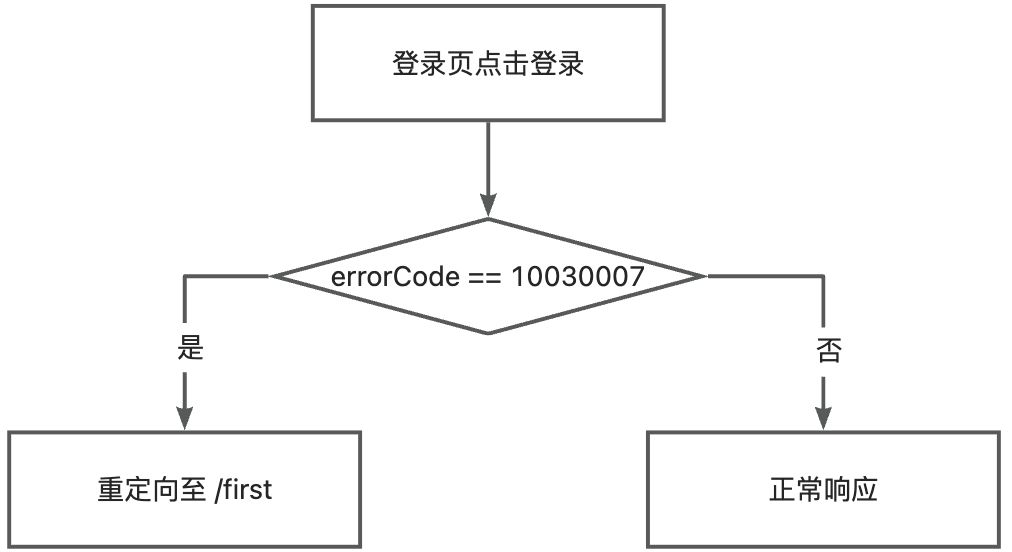
When the business system requires users to modify their initial password when logging in for the first time, this function can be enabled through the needModifyInitialPassword attribute of the sysSetting.SysSettings model. In this way, new users will be redirected to the first login password reset page when they have not modified their initial password.
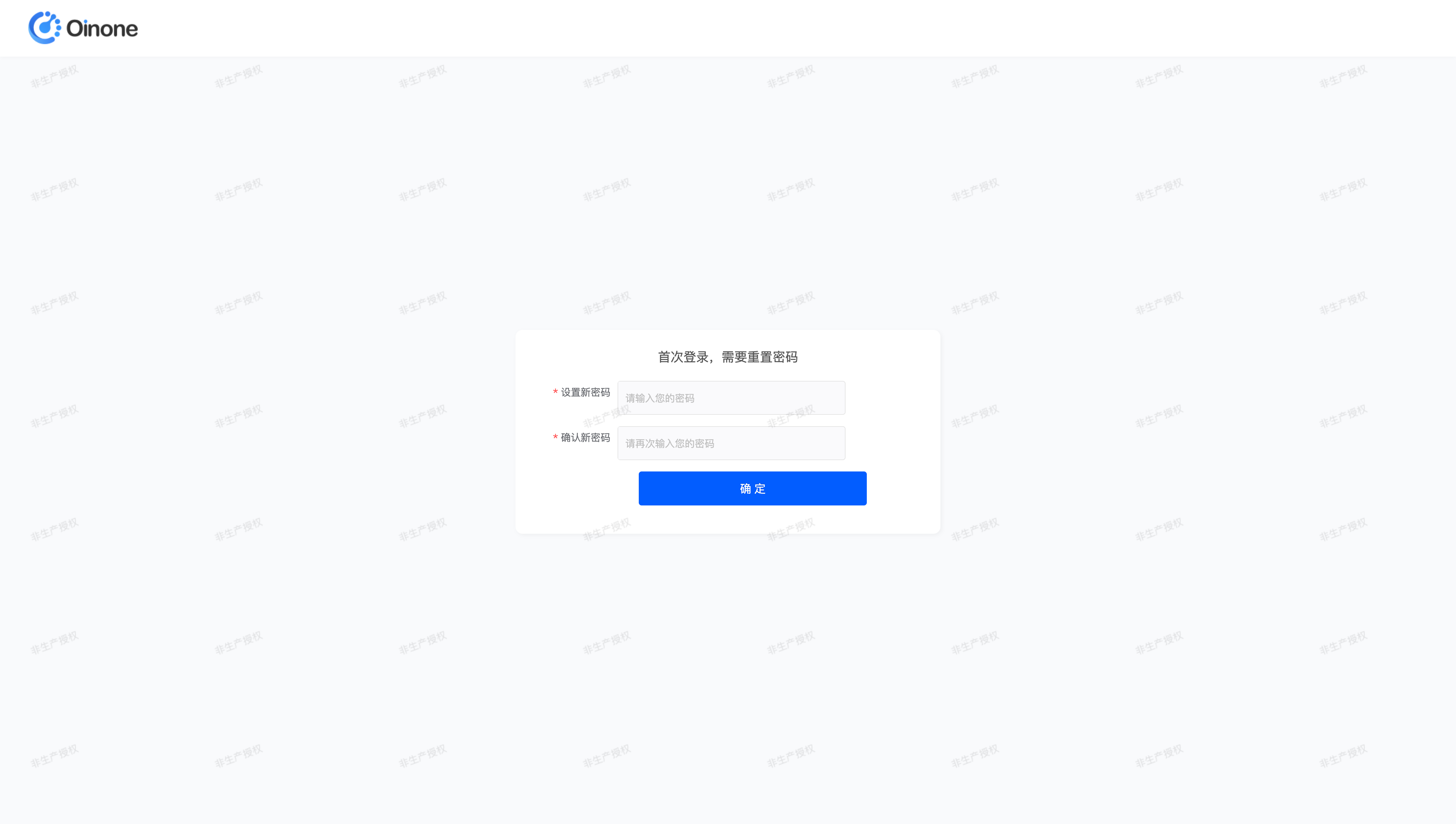
Diagram of Redirecting to First Login Password Reset Page
Ⅱ. Custom Routes
In addition to the built-in routes, Oinone can also configure other routes through OioProviderProps#router. For example:
VueOioProvider({
  router: [
    {
      path: '/custom',
      widget: 'CustomRouter'
    }
  ]
});In addition to the configuration, we also need to register the corresponding routing component:
@SPI.ClassFactory(
  RouterWidget.Token({
    widget: 'CustomRouter'
  })
)
export class CustomRouterWidget extends RouterWidget {
  public initialize(props) {
    super.initialize(props);
    this.setComponent(CustomRouter);
    return this;
  }
}The corresponding Template of the Vue component is:
<template>
  <div>hello world</div>
</template>At this point, the custom route has been added. We can access the corresponding path through the browser to view the rendering effect:
http://127.0.0.1:8080/customⅢ. Common Usages
(Ⅰ) Get Current URL Parameters
// Get URL parameters under any route
useMatched().matched.segmentParams

// Get URL parameters under the /page route
getMatchedUrl()(Ⅱ) Get Routing Instance and Navigate
1. Basic Usage
protected $router!: Router;

protected doSomething() {
  this.$router.push(...);
}

protected beforeMount() {
  this.$router = useRouter().router;
}2. Append or Modify Specified Parameters for Navigation
this.$router.push({
  segments: [
    {
      path: 'page',
      parameters: {
        ...
      }
    }
  ]
});3. Navigate with Specified Parameters Cleared
this.$router.push({
  segments: [
    {
      path: 'page',
      parameters: {
        id: null
      }
    }
  ]
});4. Navigate with All Parameters Replaced
this.$router.push({
  segments: [
    {
      path: 'page',
      extra: { preserveParameter: false },
      parameters: {
        ...
      }
    }
  ]
});(Ⅲ) Subscribe to Route Changes
1. Basic Usage
protected watchRouter: Subscription | undefined;

protected beforeMount() {
  this.watchRouter = subscribeRoute(...);
}

protected unmounted() {
  this.watchRouter?.unsubscribe();
}2. Trigger on Any Change (Will Trigger Repeatedly if Parameters Are the Same)
this.watchRouter = subscribeRoute((matched) => {
  // do something.
});3. Parameter Deduplication (Will Not Trigger if Parameters Are the Same)
this.watchRouter = subscribeRoute(
  (matched) => {
    // do something.
  },
  { distinct: true }
);Ⅳ. Reference List
(Ⅰ) useMatched
Description: A custom Hook for managing route matching status, used to track the currently matched route information and historical matching status, and provide status update and subscription functions.
Properties:
prevMatched
- Description: The previous route matching object, used for status comparison and history recording.
- Type:
Matched | null
matched
- Description: The current route matching object, which stores route parameters.
- Type:
Matched
Methods:
getMatched$
- Description: An observable object of the route matching status, implemented using
BehaviorSubject - Type:
() => BehaviorSubject<Matched> - Return Value: An observable object for route change subscription.
(Ⅱ) useRouter
Description: Get the routing object in the current Vue instance, which can only be used inside Vue components.
Properties:
router
- Description: Routing instance.
- Type:
Router
(Ⅲ) getRouterInstance
Description: Get the current routing instance, which can be called anywhere after initialization is completed.
Return Value: Router
(Ⅳ) Router
Description: Routing instance.
Methods:
push
- Description: Navigate based on the
SegmentGroupobject, supporting parameter retention. - Type:
(options: SegmentGroup, target?: string) => void - Parameters:
- options:
SegmentGroupobject. - target: Optional, specifies the opening method (such as
_blank).
- options:
back
- Description: Go back to the previous page.
- Type:
() => void