In the previous chapter, we modified a module's behavior using inheritance. In our expense management business scenario, we hope to go further and implement a feature to automatically generate financial vouchers for customers. Suppose we have developed an accounting module based on Oinone, so it would be great to directly create accounting vouchers from our expense management module. In other words, once the status of an expense bill is set to "effective", the corresponding accounting voucher should be automatically generated in the accounting application.
I. Link Module
Reference: Documentation related to this topic can be found in "Module API".
Objectives: By the end of this section
- Add two modules: "account" and "expenses_account". Hide the
expenses_accountmodule in the AppFinder by setting itsapplicationattribute to false, and only display the "account" accounting module. - Override the "accept" operation logic of the
expenses.ExpenseBillmodel to automatically generate accounting vouchers when triggered.
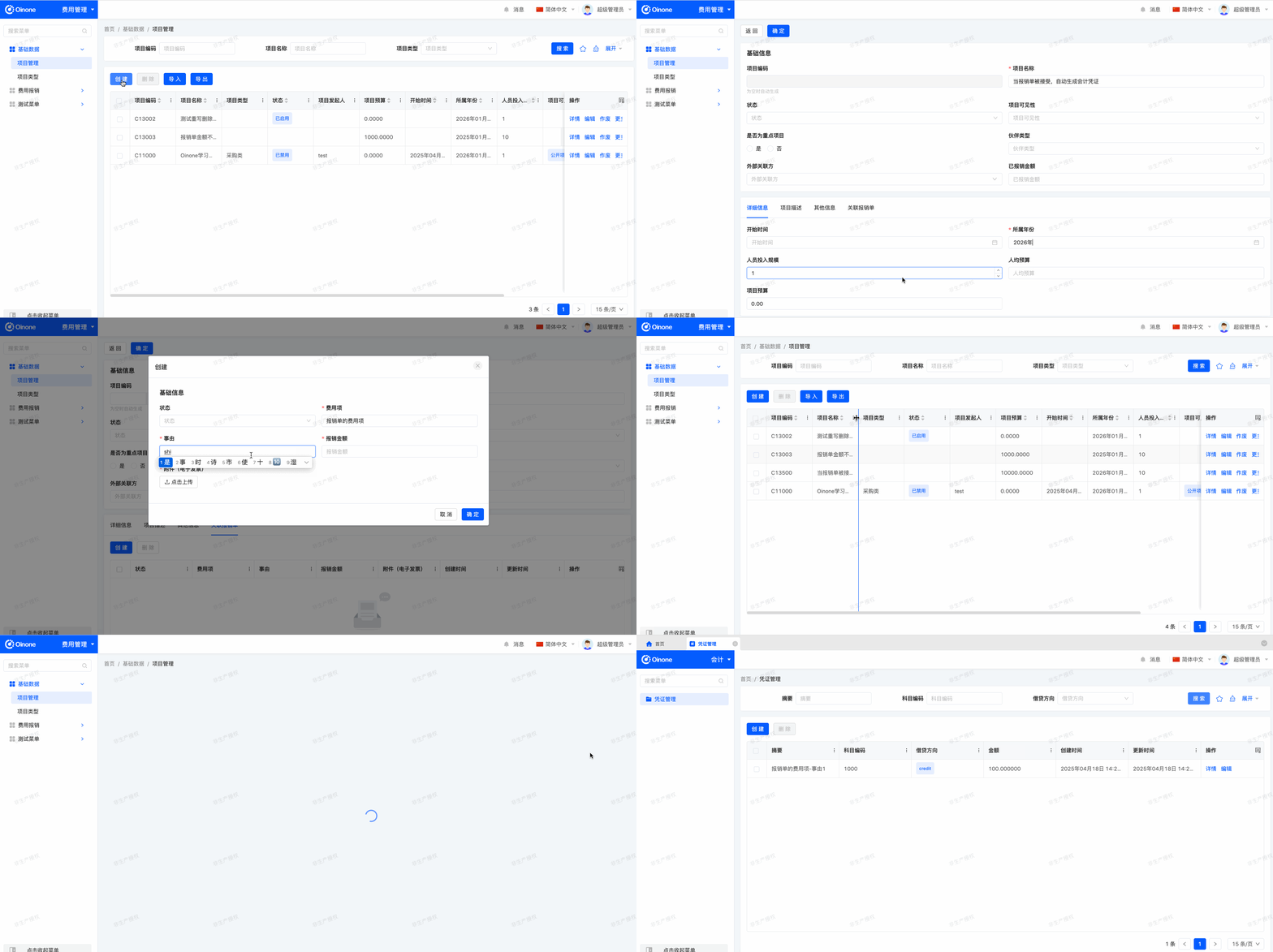
Whenever we interact with other modules, we must remember Oinone's modular characteristics. Suppose you have developed both the expense management module and the accounting module. If we plan to sell the application to enterprise customers, some may need to transfer expense data to the accounting system for financial processing and generate corresponding accounting vouchers, while others may not.
For such scenarios, a common practice is to create a "link" module. In our example, this module will depend on the expenses (expense management) and account (accounting) modules and include the logic for creating accounting vouchers from expense bills in expense management. This way, the expense management and accounting modules can be installed independently. When both modules are installed, installing the link module will provide the new functionality.
Exercise
- Create the
accountmodule.- Create a link module: Create the
expenses_accountmodule, set theapplicationattribute tofalse, and add dependencies on theexpensesandaccountmodules.Tip: You have done similar operations at the beginning of this tutorial, and the process is very similar.
- Add a voucher
account.Vouchermodel to theaccountmodule with four fields: summary, subject, debitOrCredit, and amount.- Create a menu "Voucher Management" for the
accountmodel and bind it to theaccount.Vouchermodel.- In the
expenses_accountmodule, override the "accept" operation logic of theexpenses.ExpenseBillmodel to automatically generate accounting vouchers when the operation is triggered.
Warning
The package paths of each module must not contain the same path; otherwise, it will cause metadata loading issues. Therefore, for the link module expenses_account, its package path is recommended to start with "link", such as pro.shushi.oinone.tutorials.link.expenses.account.
This chapter may be one of the most difficult covered so far, but it is closest to the actual development scenarios in Oinone.