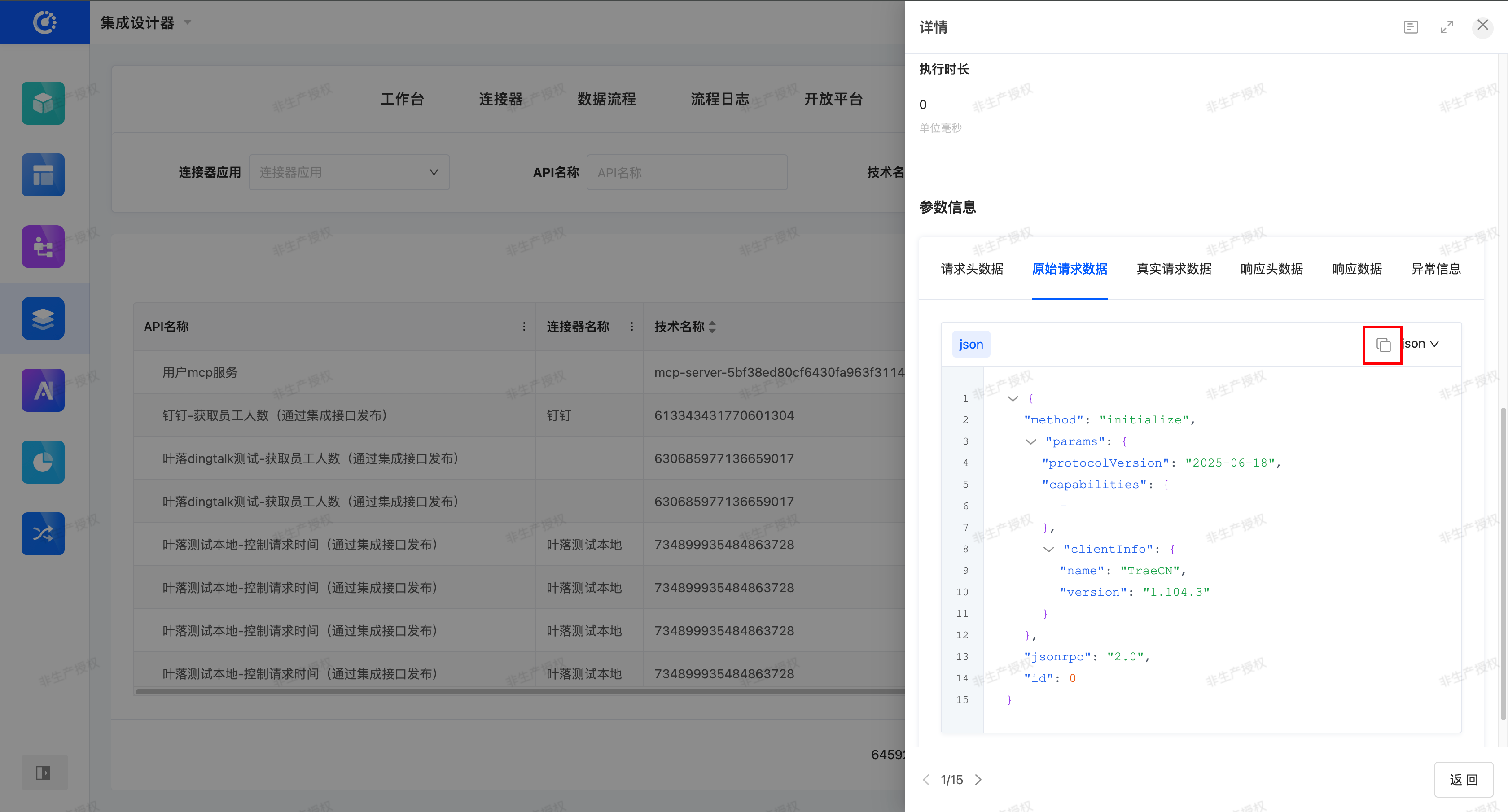
Interface logs are used to record the invocation status of interfaces. When connecting to integrated resources and using interfaces, you can check whether the interface was successfully invoked in the interface logs, and make corresponding adjustments and optimizations based on the execution status of the interface.
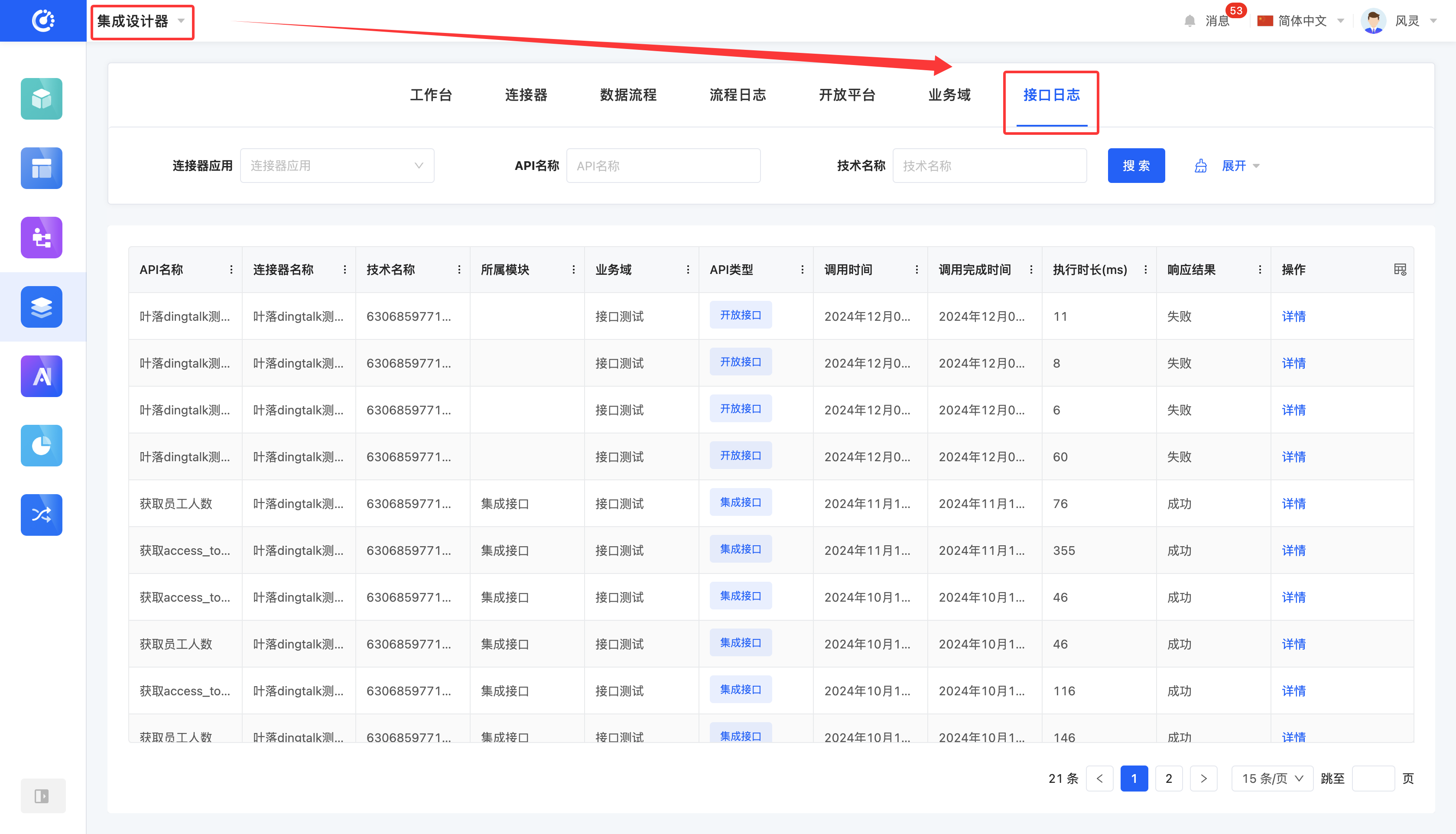
I. Filtering
1. Function Introduction
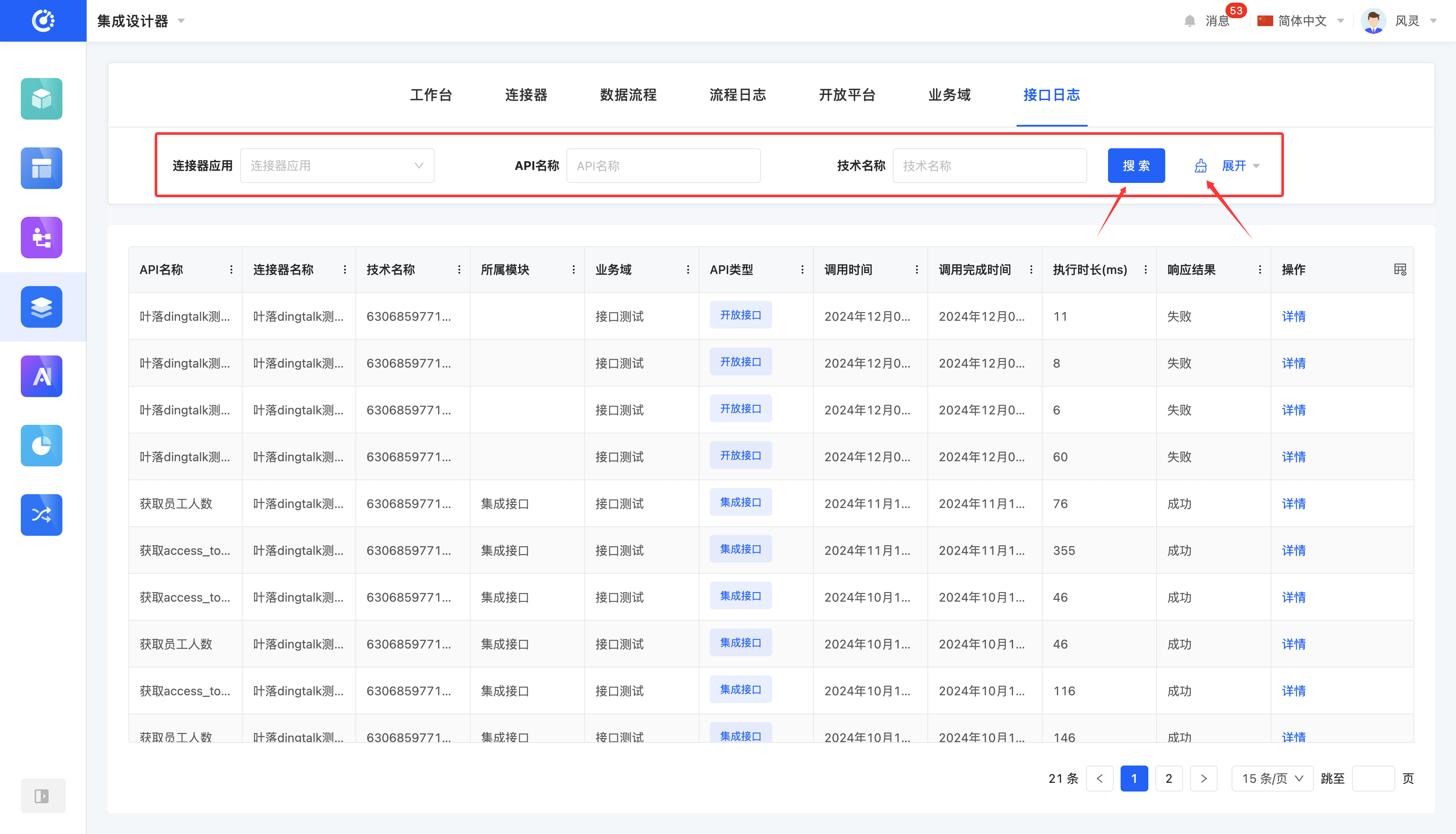
You can customize the filtering conditions for interface records according to actual business requirements. Under the current filtering conditions, the corresponding list of interface records will be displayed, which facilitates viewing different interface records.
2. Operation Method
- Filter: Enter the conditions in the filtering area and click the "Search" button to filter the interface records.
- Clear All: Click the "Clear" icon to clear all the conditions in the current filtering area with one click.
2. View Details
1. Feature Introduction
It supports viewing the execution details of the interface, enabling users to comprehensively understand the overall running status and parameter information of the interface.
Display Content
- Basic Information: Displays basic configurations such as API name, technical name, API type, and API URL.
- Execution Information: Displays information related to the interface execution, such as response results, call time, and execution duration.
- Parameter Information: Displays parameter information such as request header data and original request data of the interface, supporting structured viewing.
Parameter Display and Copy
- The parameter information supports display in two formats: JSON / XML, and users can freely switch the parameter display format as needed.
- It supports one - click copying of the parameter content in the current format, facilitating interface debugging and docking.
2. Operation Method
Click "Details", and you can view the interface execution status on the pop - up page.
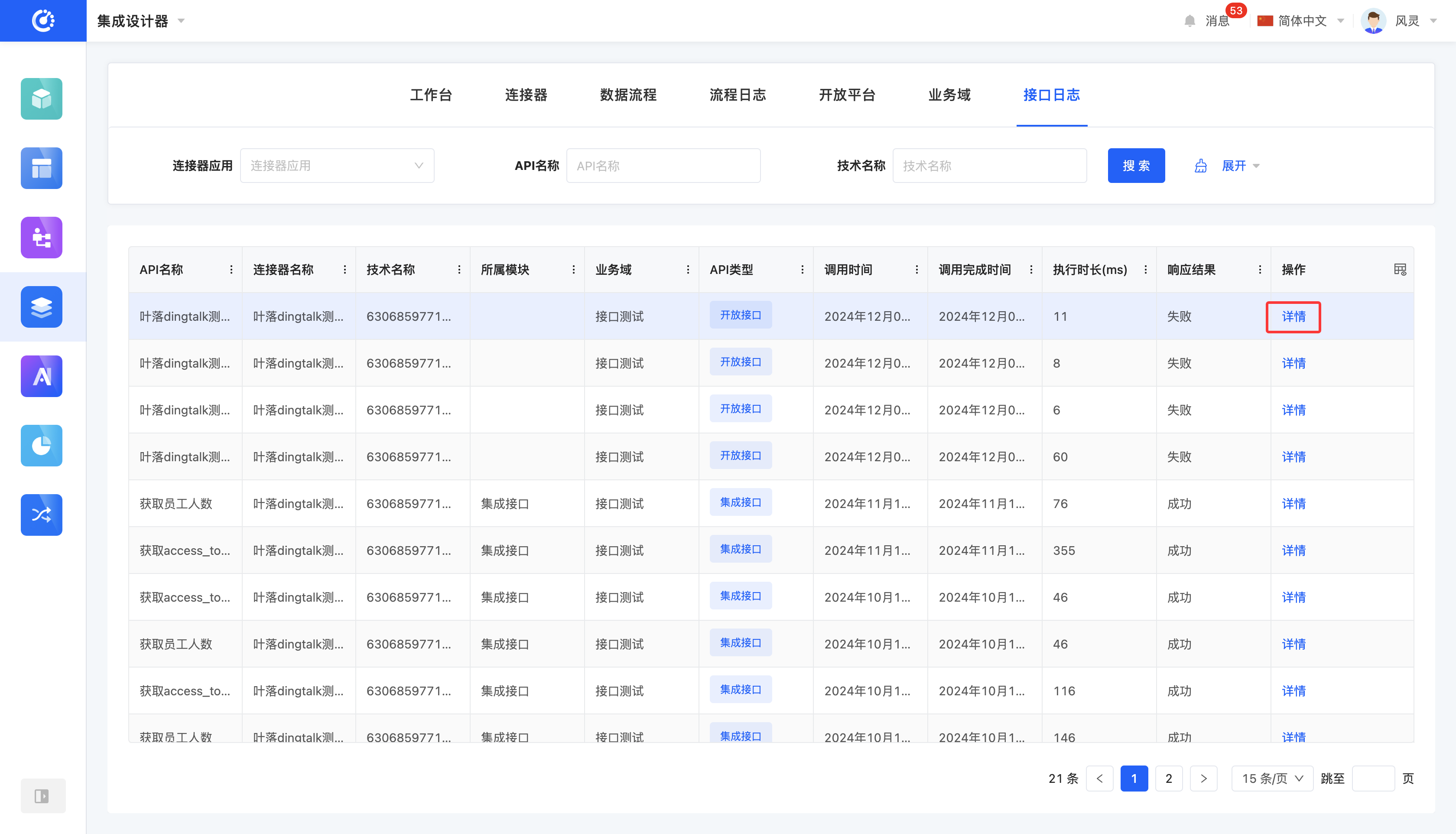
You can switch the data display format in the parameter information. 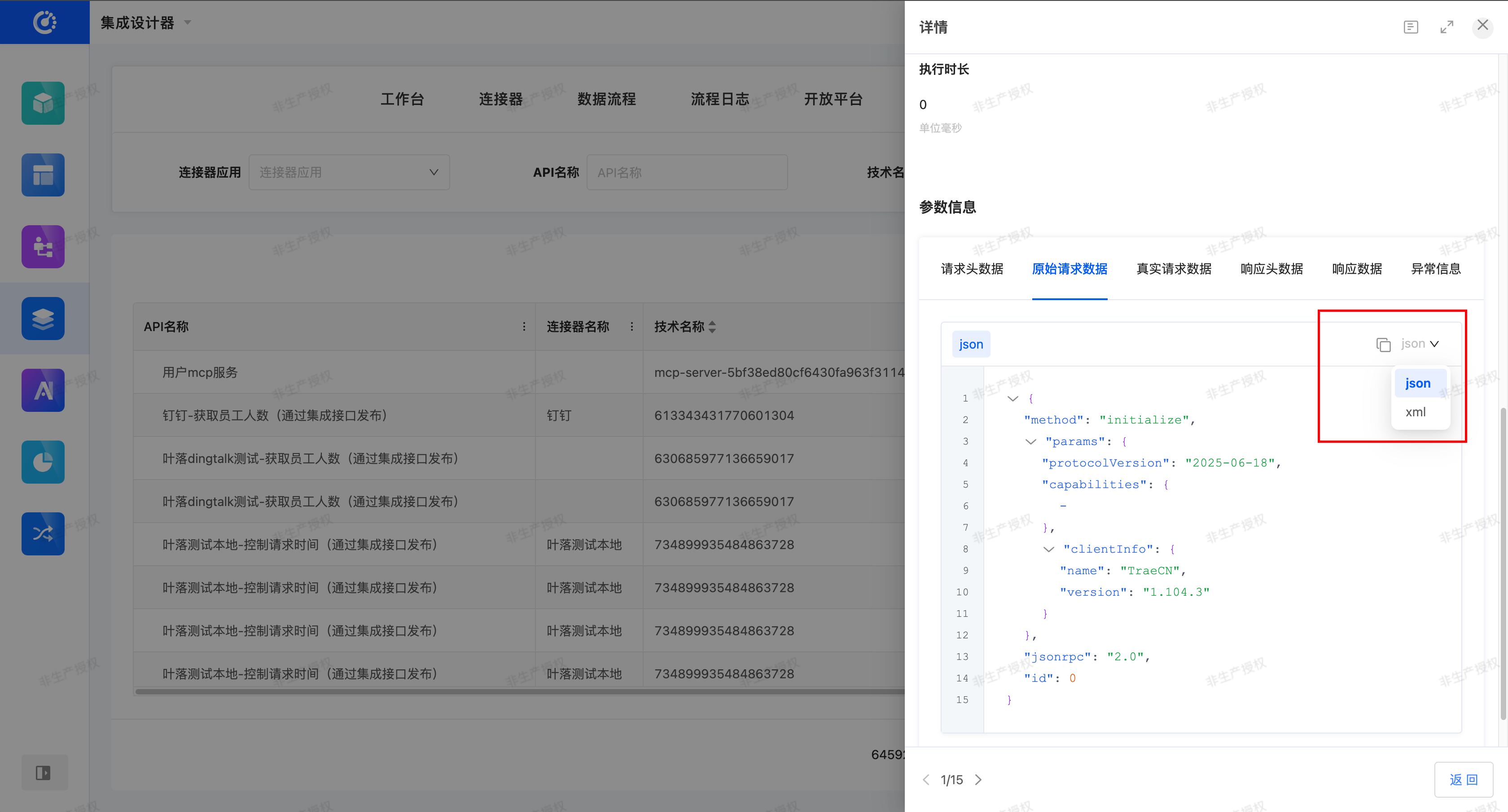
You can copy the data of the selected parameter type in the parameter information.