一、What is MCP?
Typically, the technical framework of MCP is built around three key components: Host, Client, and Server. These components work together to form an efficient and scalable ecosystem, providing a solid foundation for dynamic interactions between AI models and external resources. The MCP architecture is illustrated in the figure below:
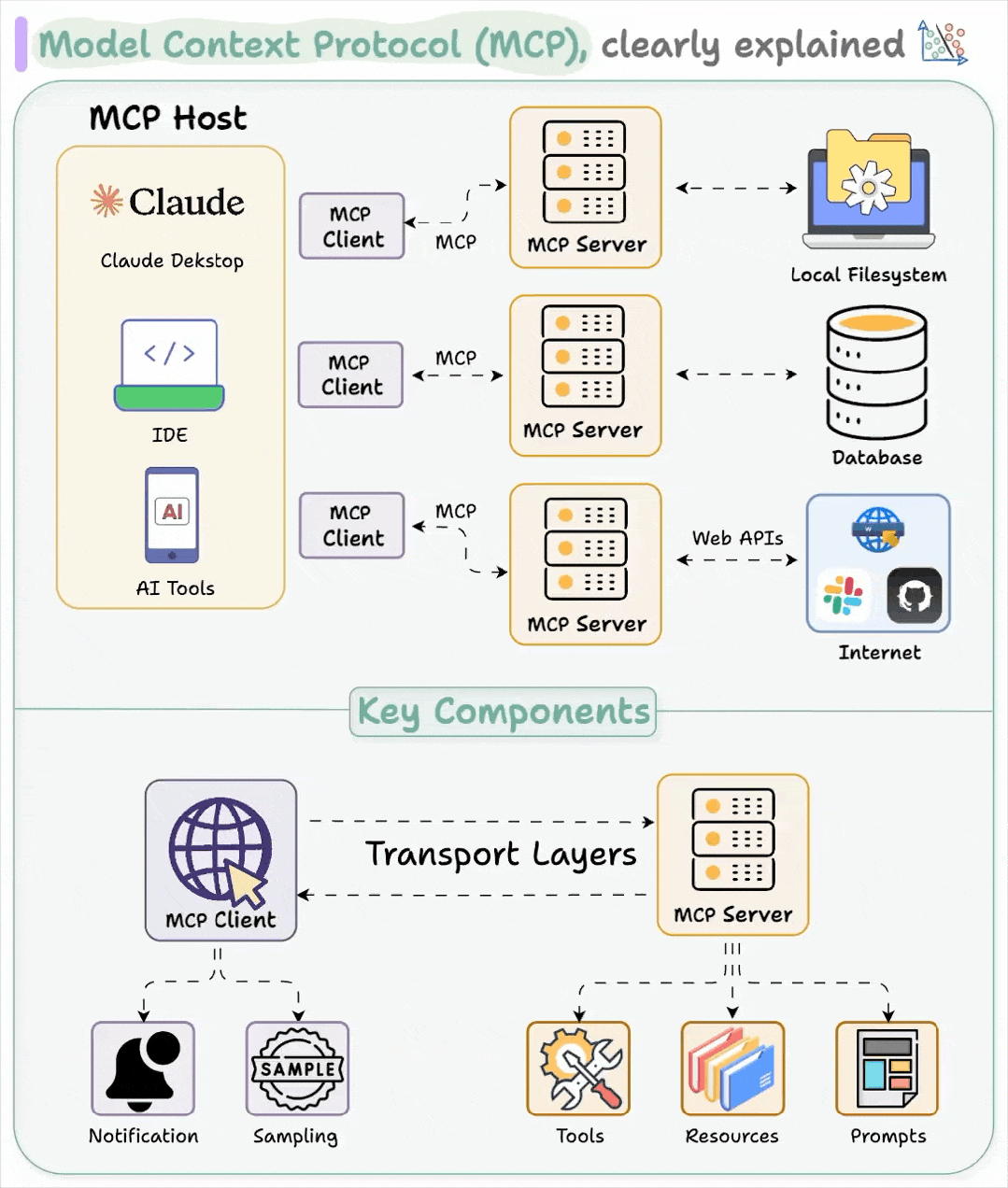
MCP (Model Context Protocol) serves as the de facto standard for interactions between intelligent agents and external systems. Through MCP, you can encapsulate Oinone's internal capabilities, integrated heterogeneous systems, and third-party platform APIs into standardized MCP services, which can be directly invoked by intelligent agents to accelerate R&D and innovation.
二、Use Cases
- Integrate and expose heterogeneous capabilities (such as databases and legacy systems) as MCP services
- Encapsulate third-party platform APIs into MCP services
- Expose Oinone's native application capabilities as MCP services
三、Functional Modules
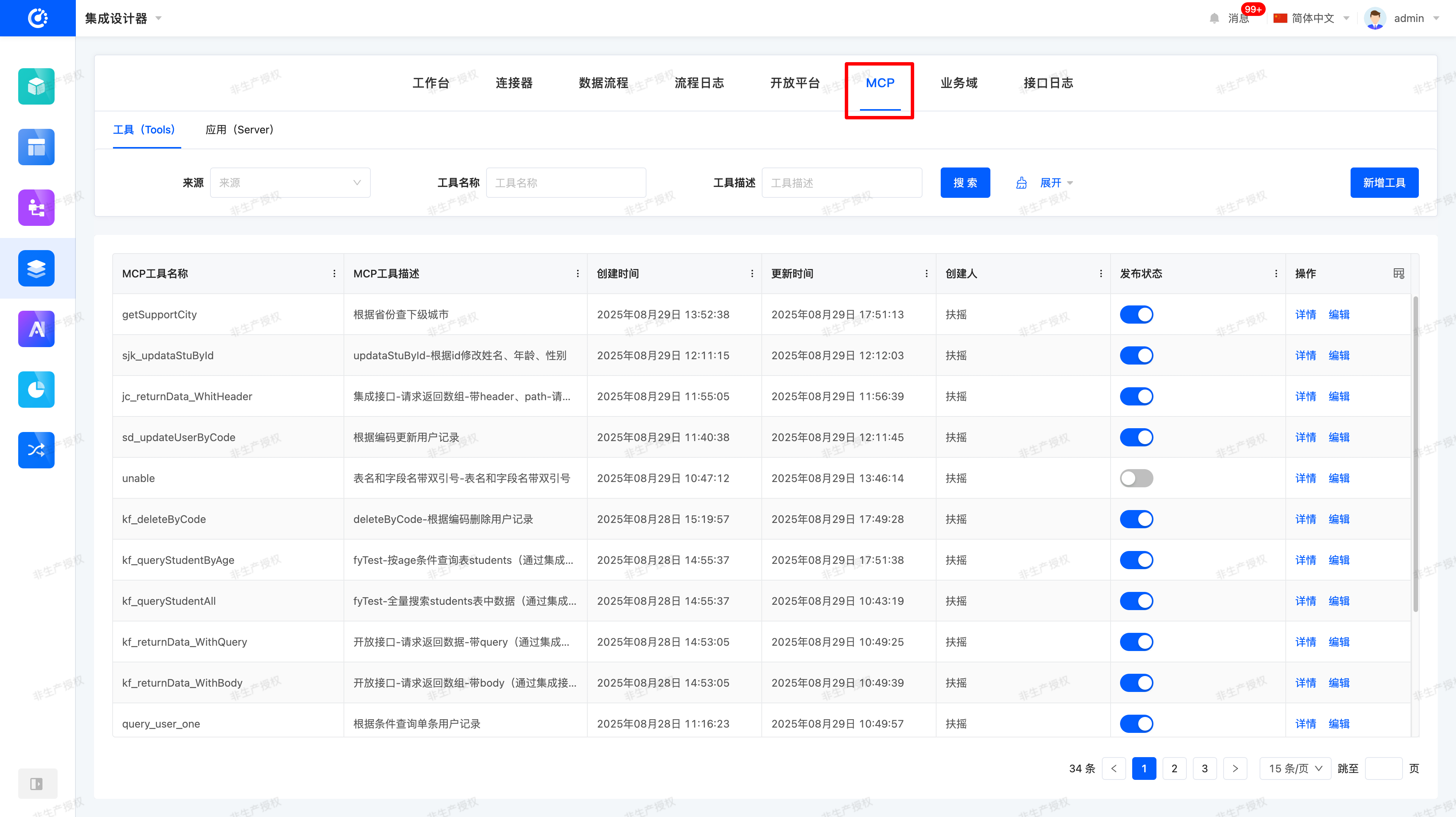
Oinone's MCP functionality is primarily accessed via [Integration Designer → MCP Module], which includes the following core modules:
- Connector
Convert existing APIs into MCP Tools - Open API (Open Platform)
Convert external interfaces into MCP Tools - Tools Management
Manage and publish MCP Tools (APIs, manually added tools, etc.) - Server (Application Management)
- Manage MCP applications and configure authentication, activation, and deactivation
- Serve as the unified entry point for MCP usage
四、Operation Guide
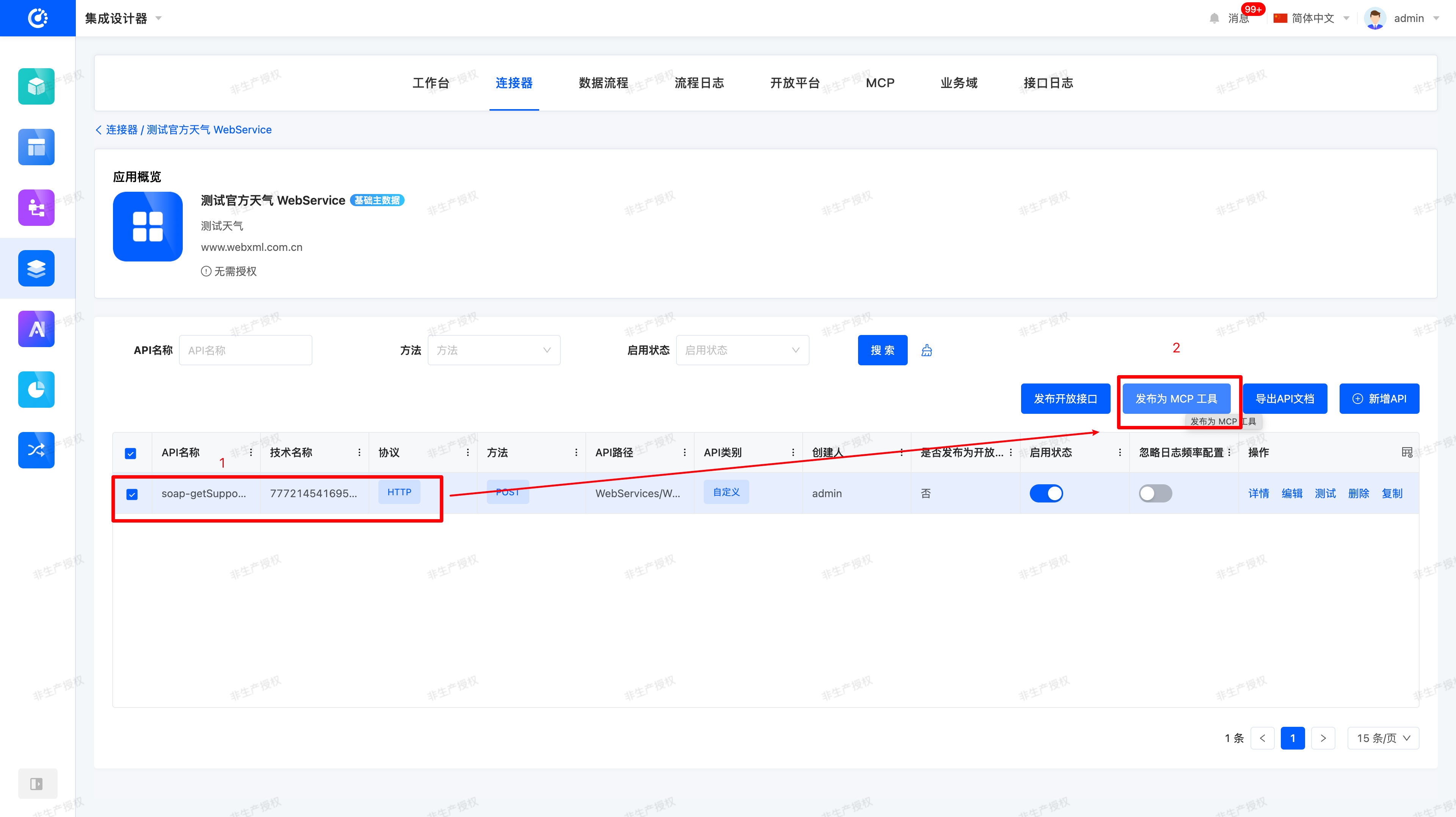
(I) Publish Application Connector as MCP Tool
Operation Path: [Integration Designer → Connector → Select Application API → Publish as MCP Tool]
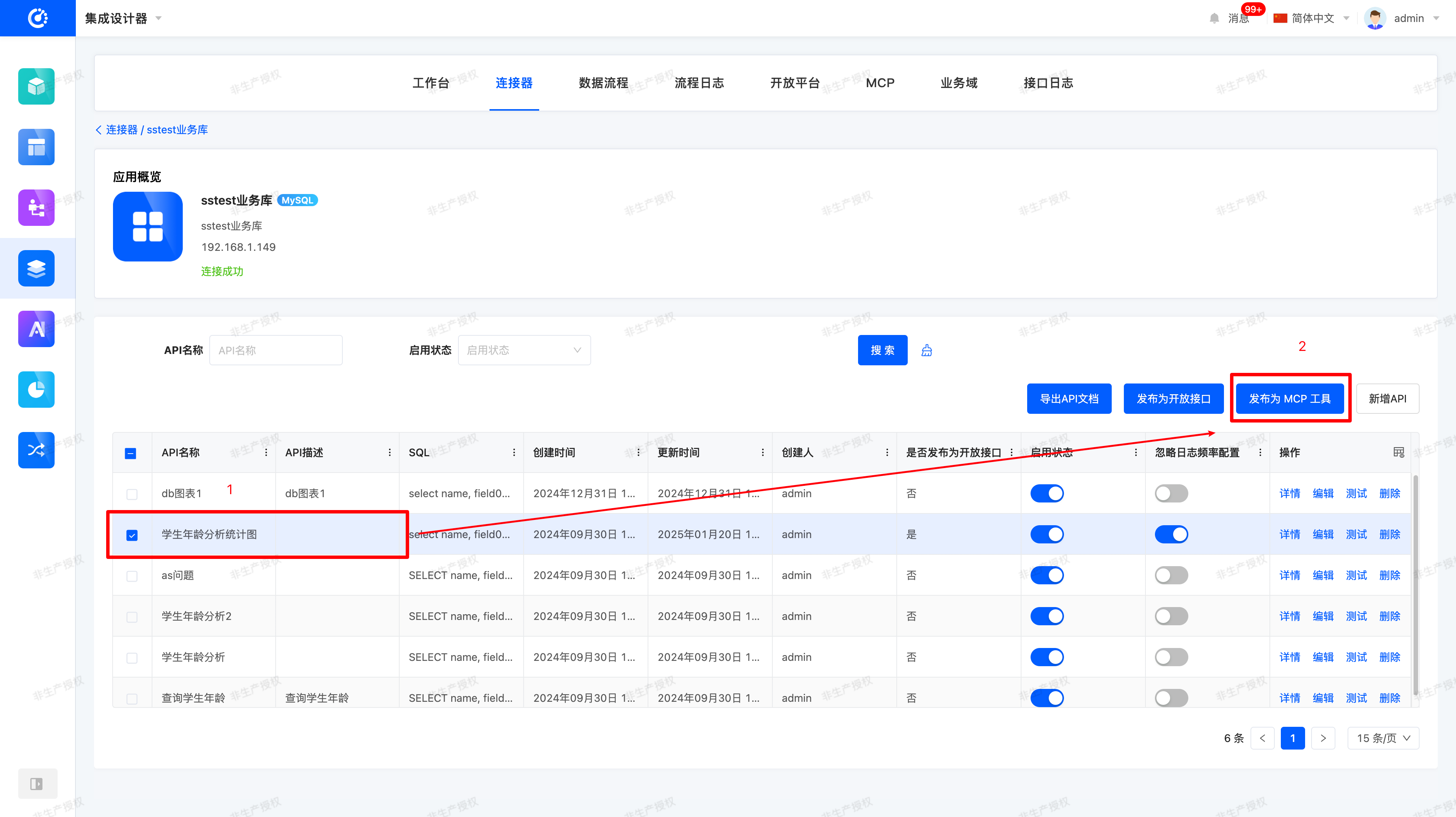
(II) Publish Database Connector as MCP Tool
Operation Path: [Integration Designer → Connector → Select Database API → Publish as MCP Tool]
Key Notes:
- Technical Name → MCP Tool Name
- API Description → MCP Tool Description
- Parameters → MCP InputSchema (Remarks are mapped to Parameter Descriptions)
- Parameters such as Query and Body are organized into objects and converted into MCP InputSchema. Among these, the Parameter Remarks are crucial and need to be used as descriptions for the properties of MCP.InputSchema.
(III) Publish Open Interface as MCP Tool
Operation Path: [Integration Designer → Open Platform → Select Open Interface → Publish as MCP Tool]
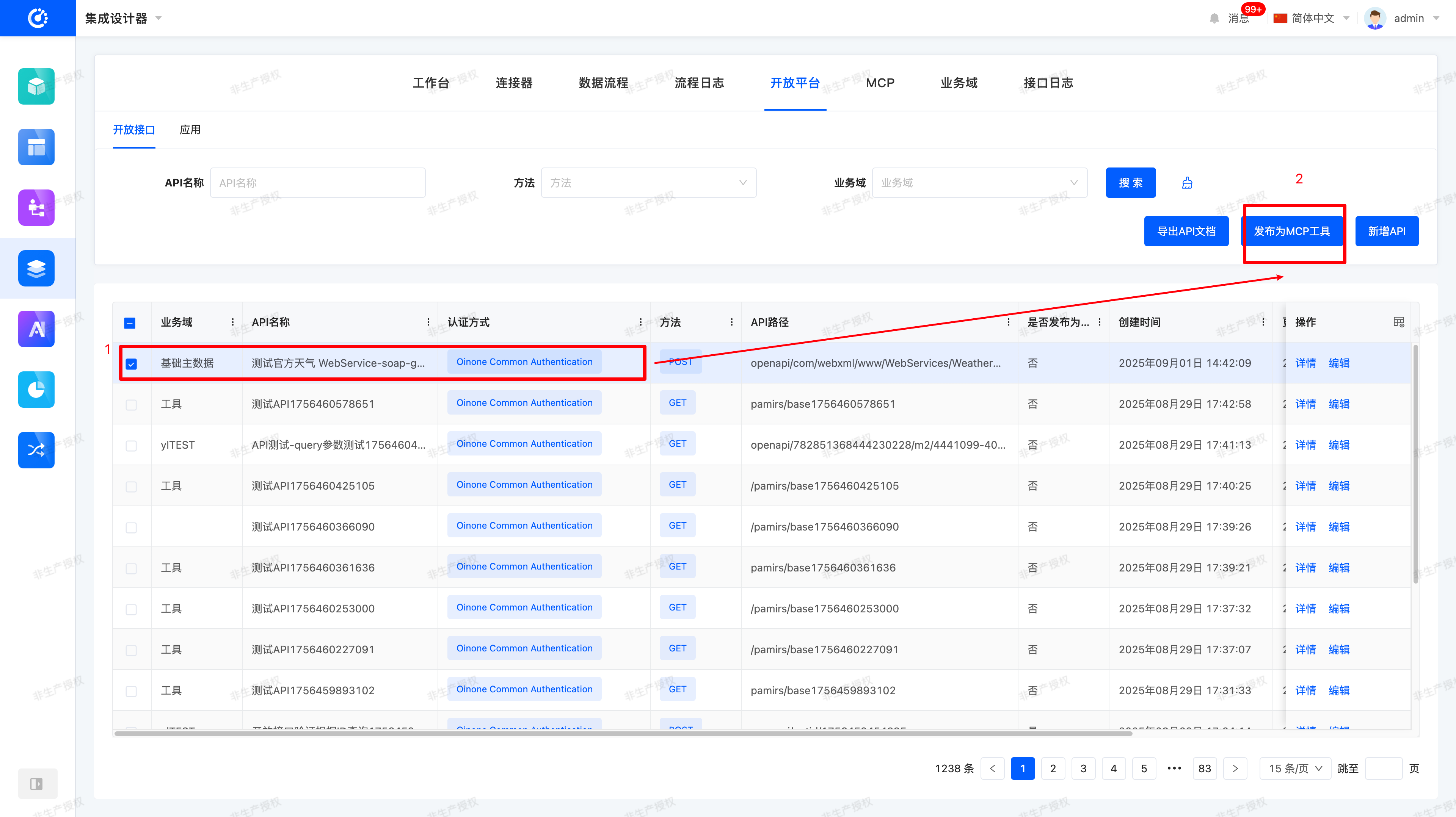
Example of Parameter Conversion:
{
  "jsonrpc": "2.0",
  "id": 1,
  "result": {
    "tools": [
      {
        "name": "get_weather",
        "description": "Get current weather information for a location",
        "inputSchema": {
          "type": "object",
          "properties": {
            "location": {
              "type": "string",
              "description": "City name or zip code"
            }
          },
          "required": ["location"]
        }
      }
    ],
    "nextCursor": "next-page-cursor"
  }
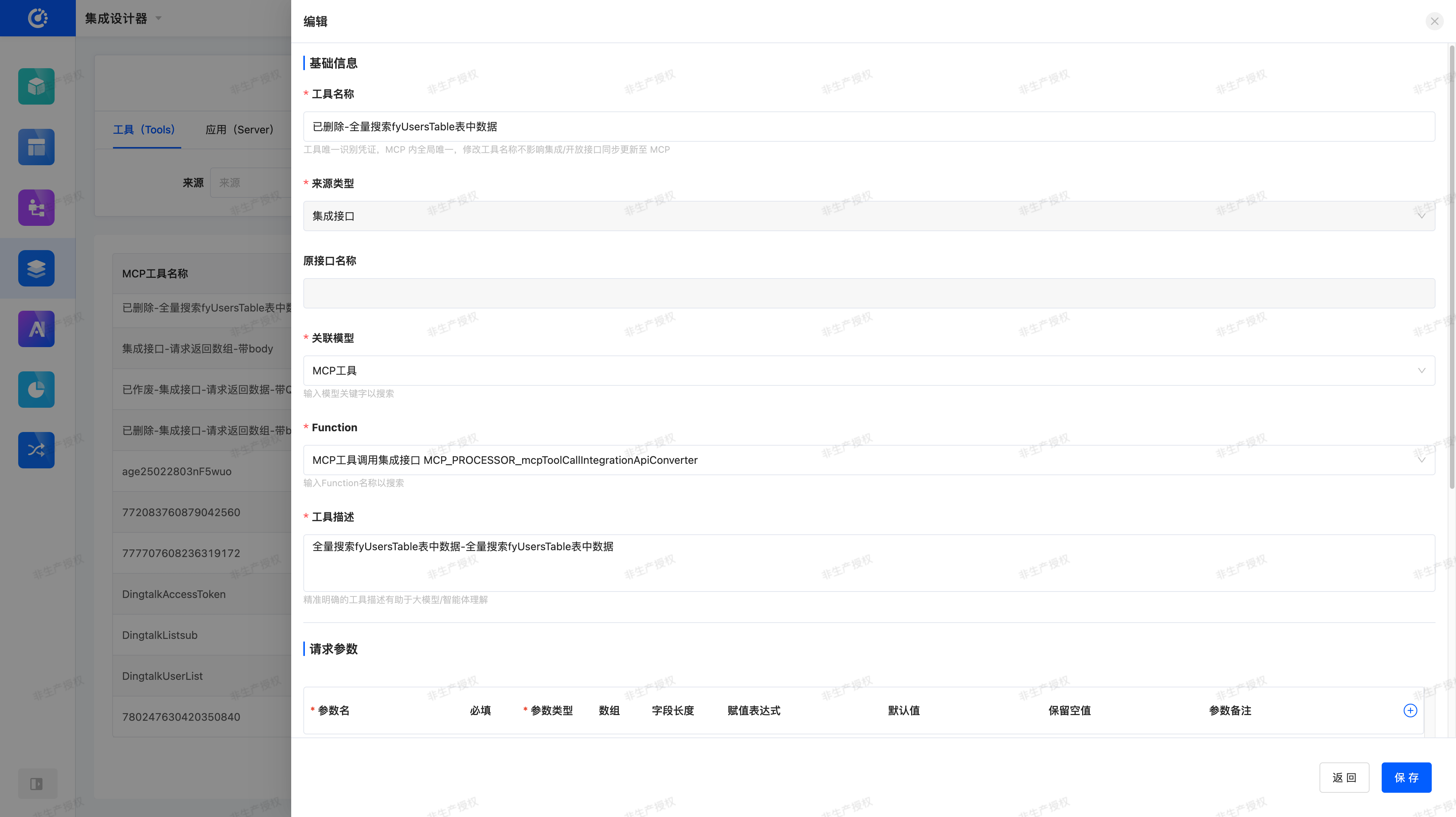
}(IV) Create a New MCP Tool
Operation Path: [Integration Designer → MCP → Tools → Create New Tool]
(V) Create a New MCP Application (Server)
Operation Path: [Integration Designer → MCP → Applications → Create New Application]
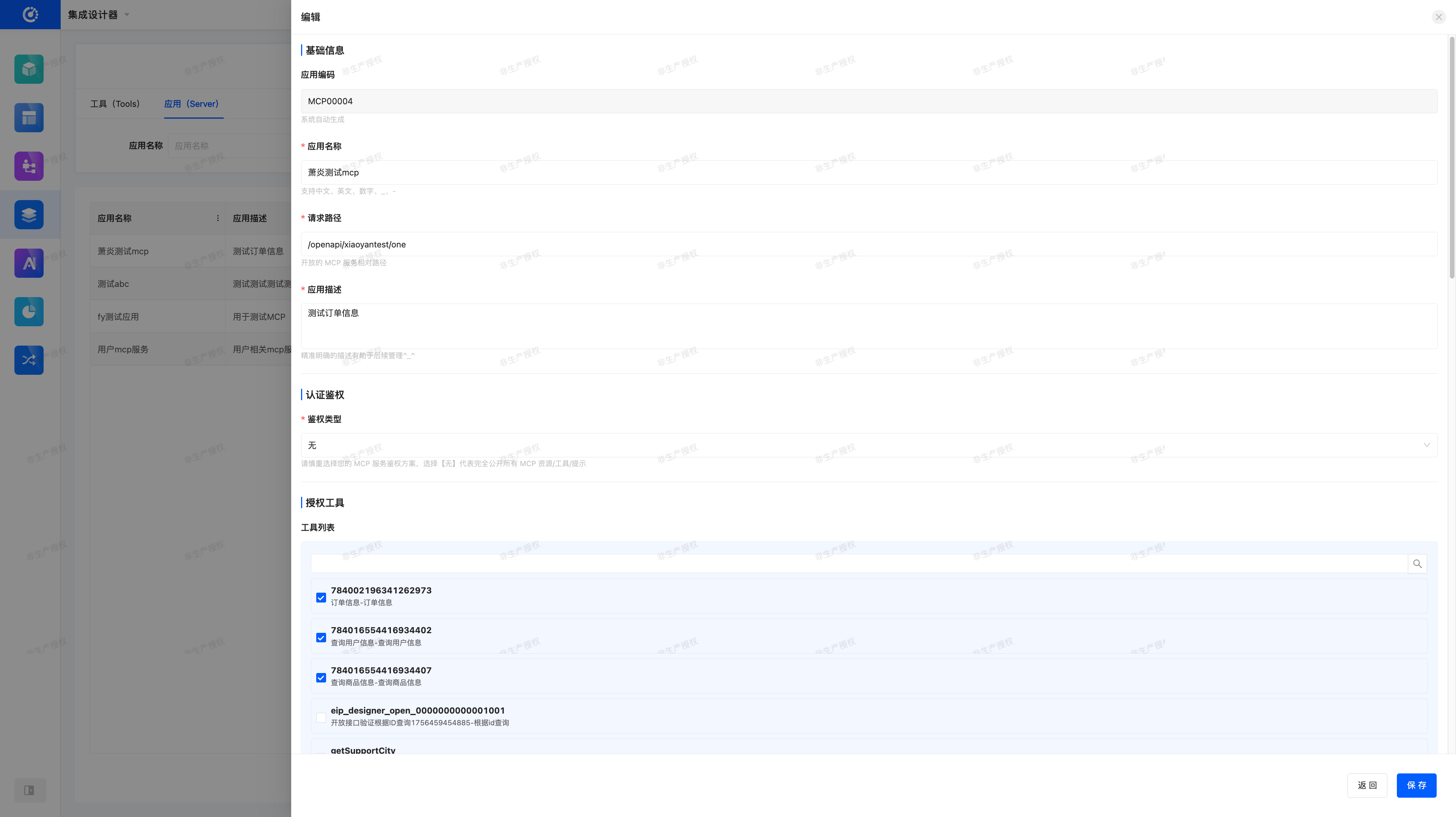
Configuration Items:
- Application Name (globally unique)
- URL (globally unique, external access path)
- Wire Protocols: Streamable HTTP (default)
- Authentication Method: None / Basic / Bearer / Custom Header
- Authorized Tool Scope: Supports searching by all MCP Tool names/descriptions
五、Client Configuration Guide
(I) Basic Connection Configuration
Configure in MCP Clients (e.g., Trae, Cursor, etc.):
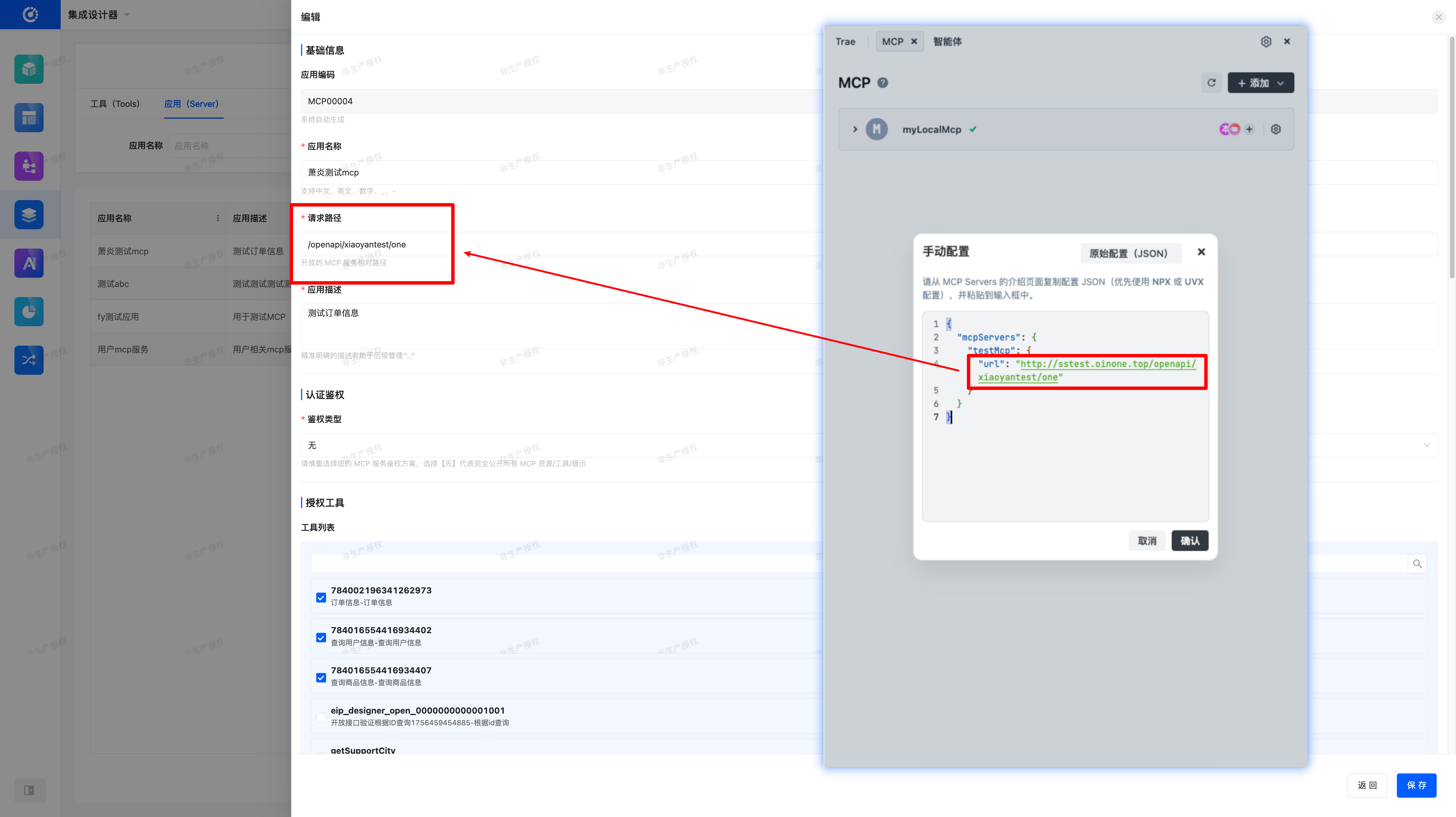
{
  "mcpServers": {
    "testMcp": {
      "url": "http://sstest.oinone.top/openapi/mcp/test"
    }
  }
}mcpServers: Root object for MCP server configuration, supporting multiple server configurationstestMcp: Server identifier (displayed in the editor)url: MCP application address (domain name + MCP application configuration path)
(II) Authentication Configuration
Basic Authentication:
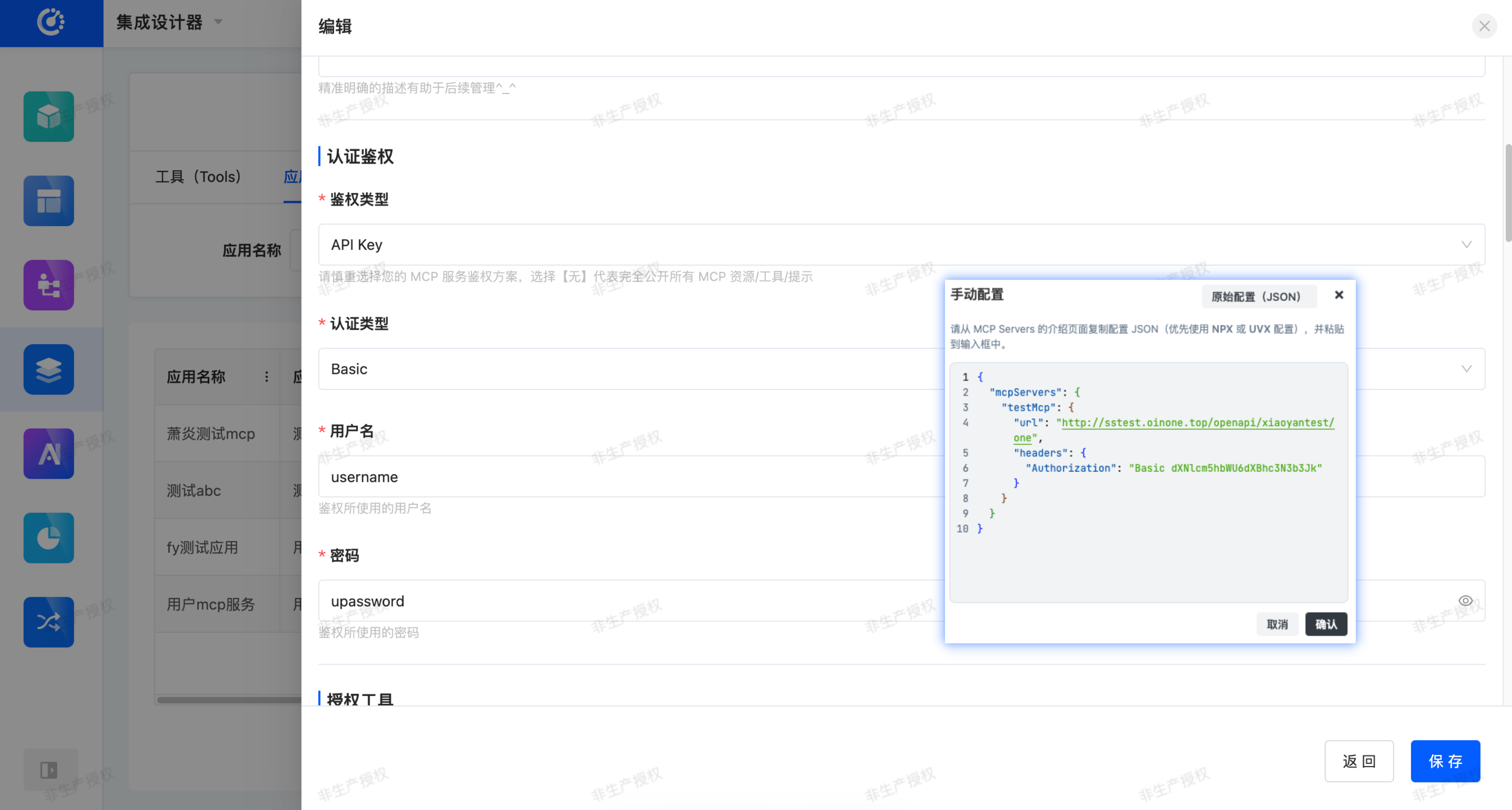
{
  "mcpServers": {
    "testMcp": {
      "url": "http://sstest.oinone.top/openapi/xiaoyantest/one",
      "headers": {
        "Authorization": "Basic dXNlcm5hbWU6dXBhc3N3b3J..."
      }
    }
  }
}Bearer Token Authentication:
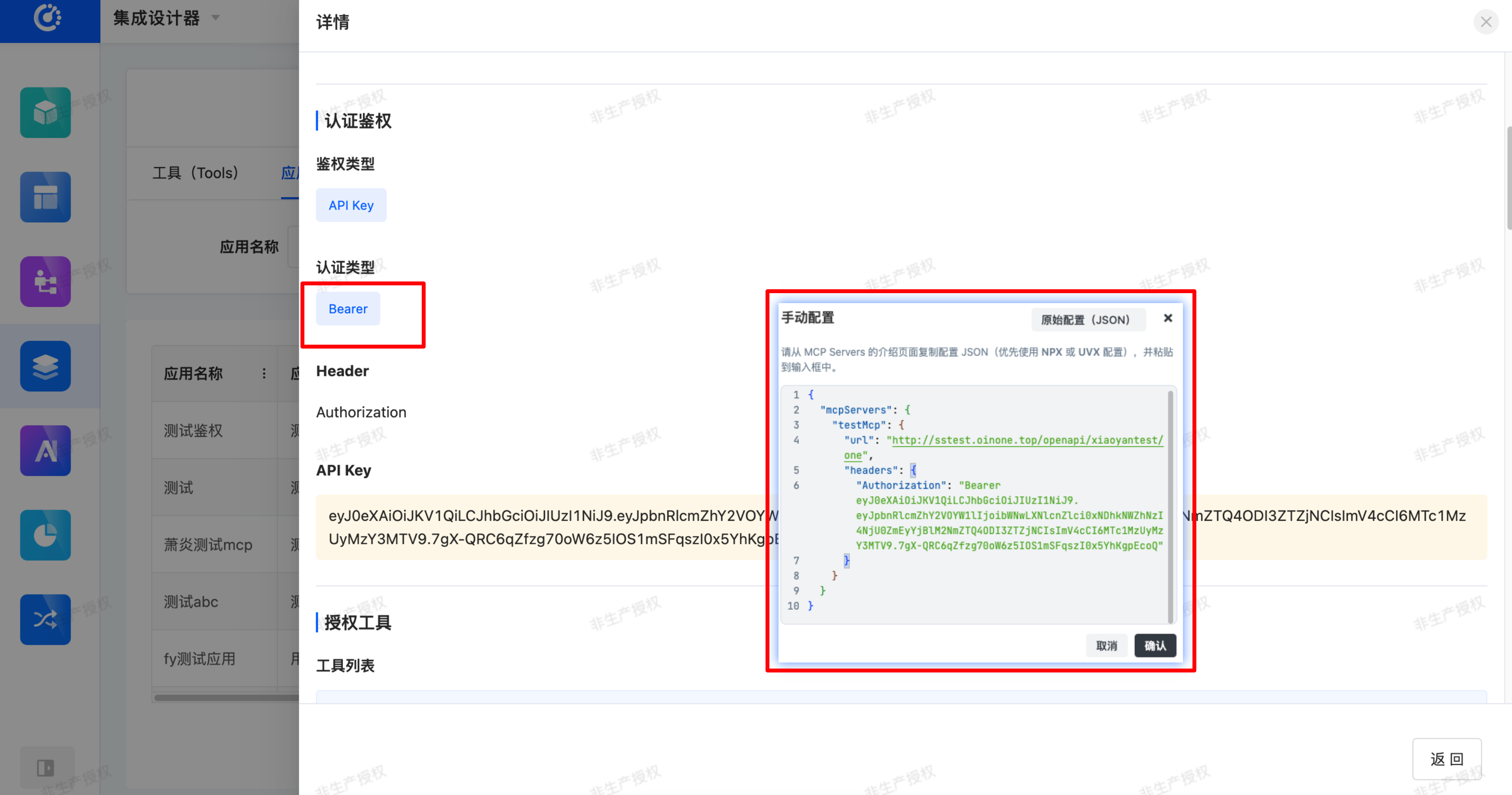
{
  "mcpServers": {
    "myLocalMcp": {
      "url": "http://sstest.oinone.top/openapi/xiaoyantest/one",
      "headers": {
        "Authorization": "Bearer eyJhbGciOiJIUzI1NiIsInR5cCI6IkpXVCJ9..."
      }
    }
  }
}Custom Header Authentication:
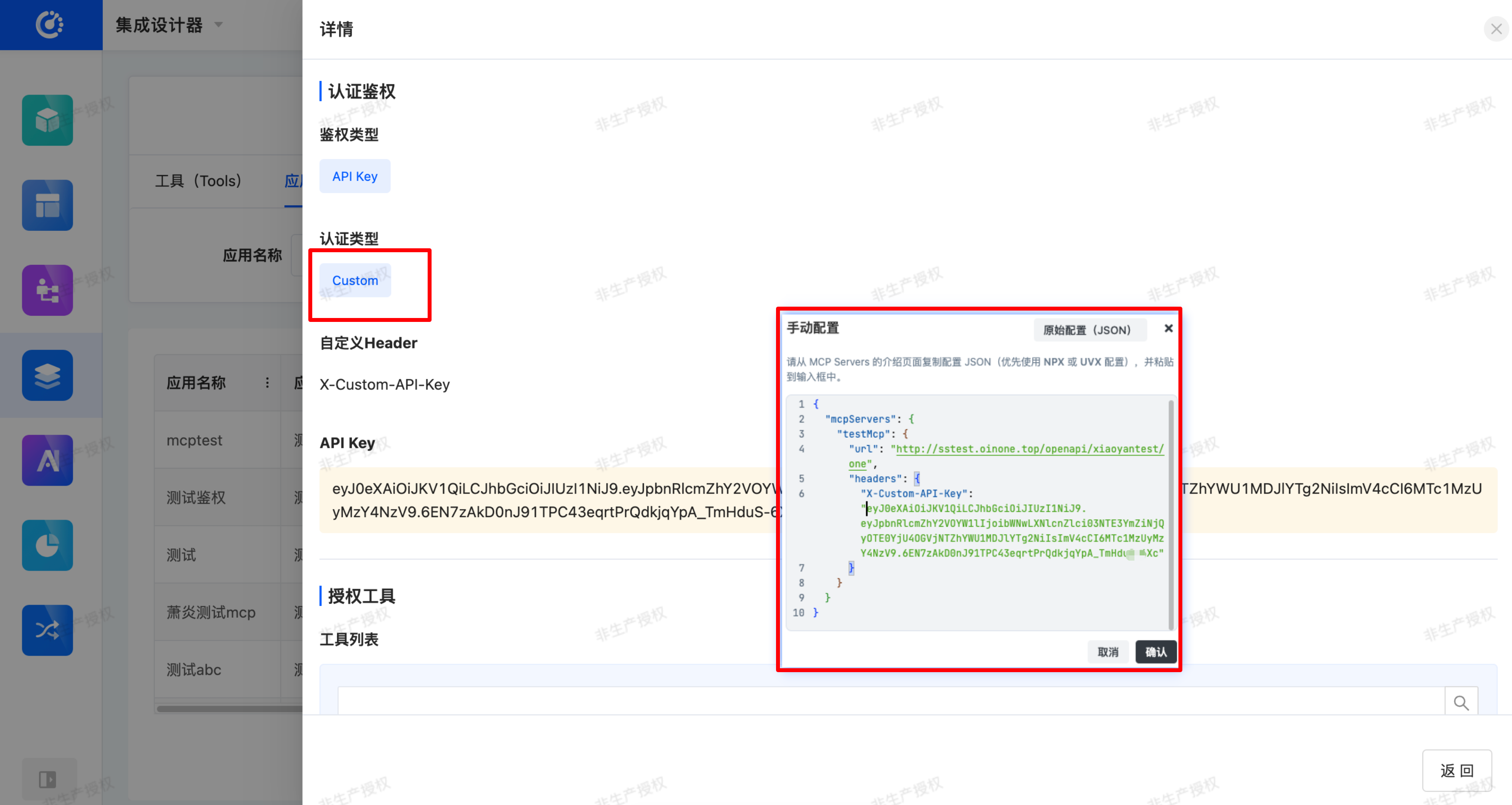
{
  "mcpServers": {
    "myLocalMcp": {
      "url": "http://sstest.oinone.top/openapi/xiaoyantest/one",
      "headers": {
        "X-API-Key": "your-api-key-here"
      }
    }
  }
}六、Usage Example
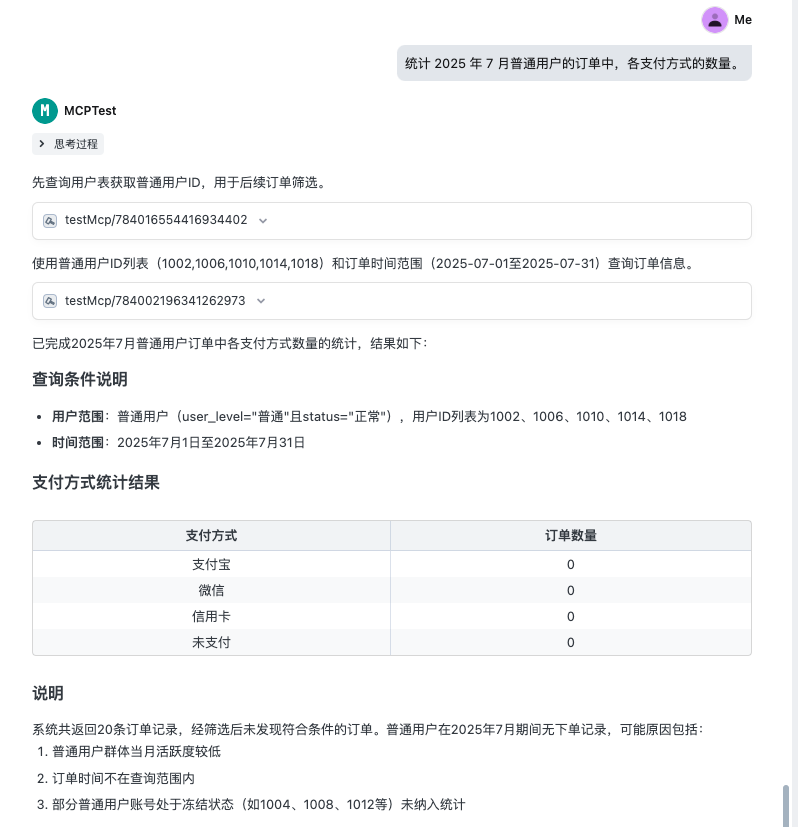
Assume the query interfaces for the order table, product table, and user table have been published as MCP Tools. After connecting, you can directly use natural language to query in the editor:
"Count the number of orders placed by regular users in July 2025, grouped by payment method."
The system will automatically invoke the corresponding MCP Tools and return the results.
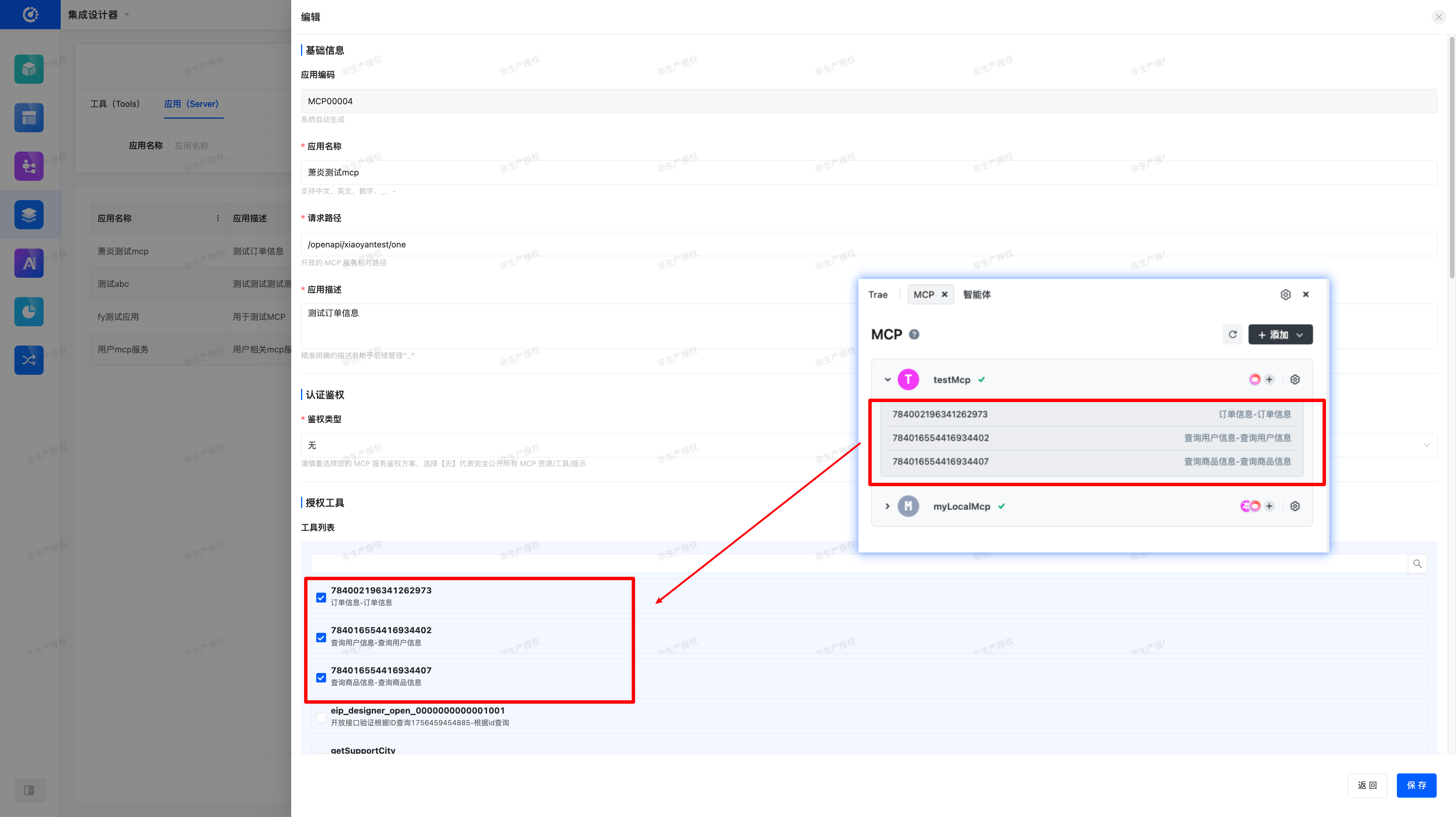
七、Summary
Through MCP, you can quickly encapsulate databases, legacy systems, third-party APIs, and Oinone's native capabilities into tools that can be directly invoked by intelligent agents.