When the Oinone framework source code has not been modified, you can switch from the Community Edition to the Enterprise Edition.
Tip
For information related to accounts, License permissions, etc., please contact Oinone staff.

I. Preparation
- Back up your Community Edition application database (this step is optional)
- Enterprise Edition Maven repository and account
- Container image repository and account
- Enterprise Edition license certificate
II. Install Enterprise Edition
Refer to:
III. Dependencies for Business Application Upgrade
(I) Add Business Application Dependency Management (Main POM)
<properties>
    <!-- 可根据Oinone发布公告(https://doc.oinone.top/category/version)更新版本 -->
    <!-- 版本号需与部署企业版版本号保持一致,有疑问可联系数式Oinone员工 -->
    <oinone-bom.version>6.2.10</oinone-bom.version>
</properties>

<dependencyManagement>
    <!-- 去掉开源版本pro.shushi.pamirs的依赖 -->
    <!-- 统一替换下面的oinone bom依赖 -->
    <!-- 注意MySQL驱动的依赖不要去掉 -->

    <!-- 添加oinone bom-->
    <dependency>
        <groupId>pro.shushi</groupId>
        <artifactId>oinone-bom</artifactId>
        <version>${oinone-bom.version}</version>
        <type>pom</type>
        <scope>import</scope>
    </dependency>

    <!-- 其他依赖管理 -->
    <!-- ... -->
</dependencyManagement>(II) Upgrade Dependencies of the Business Application (POM of the Boot Project)
- Basic packages that need to be imported for the Enterprise Edition
<!-- Common Package - Enterprise Edition -->
<dependency>
  <groupId>pro.shushi.pamirs.core</groupId>
  <artifactId>pamirs-core-common-ee</artifactId>
</dependency>

<!-- Application Center - Enterprise Edition -->
<dependency>
  <groupId>pro.shushi.pamirs.core</groupId>
  <artifactId>pamirs-apps-ee</artifactId>
</dependency>

<!-- Authentication - Enterprise Edition -->
<dependency>
  <groupId>pro.shushi.pamirs.core</groupId>
  <artifactId>pamirs-auth3-ee-core</artifactId>
</dependency>
<dependency>
  <groupId>pro.shushi.pamirs.core</groupId>
  <artifactId>pamirs-auth3-ee-view</artifactId>
</dependency>
<dependency>
  <groupId>pro.shushi.pamirs.core</groupId>
  <artifactId>pamirs-auth3-ee-rbac-core</artifactId>
</dependency>
<dependency>
  <groupId>pro.shushi.pamirs.core</groupId>
  <artifactId>pamirs-auth3-ee-rbac-view</artifactId>
</dependency>

<!-- Remote Invocation (Publish and Subscribe to Dubbo Services) -->
<dependency>
    <groupId>pro.shushi.pamirs.distribution</groupId>
    <artifactId>pamirs-distribution-faas</artifactId>
</dependency>- Startup Acceleration Package, used to improve startup speed
<!-- Startup Acceleration -->
<dependency>
    <groupId>pro.shushi.pamirs.framework</groupId>
    <artifactId>pamirs-framework-turbo-ee</artifactId>
</dependency>- Packages related to distributed caching. After import, metadata is cached via Redis, which is suitable for scenarios where local projects and the designer are linked in real time
<!-- Distributed Caching -->
<dependency>
    <groupId>pro.shushi.pamirs.distribution</groupId>
    <artifactId>pamirs-distribution-gateway</artifactId>
</dependency>
<dependency>
    <groupId>pro.shushi.pamirs.distribution</groupId>
    <artifactId>pamirs-distribution-session</artifactId>
</dependency>
<dependency>
    <groupId>pro.shushi.pamirs.distribution</groupId>
    <artifactId>pamirs-distribution-session-cd</artifactId>
</dependency>IV. IDEA Development Verification
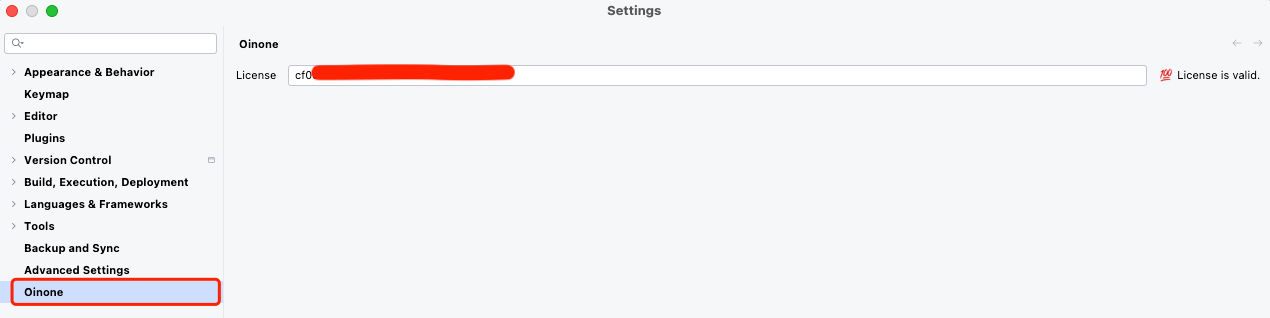
Verify the IDEA Development Certificate
Tip
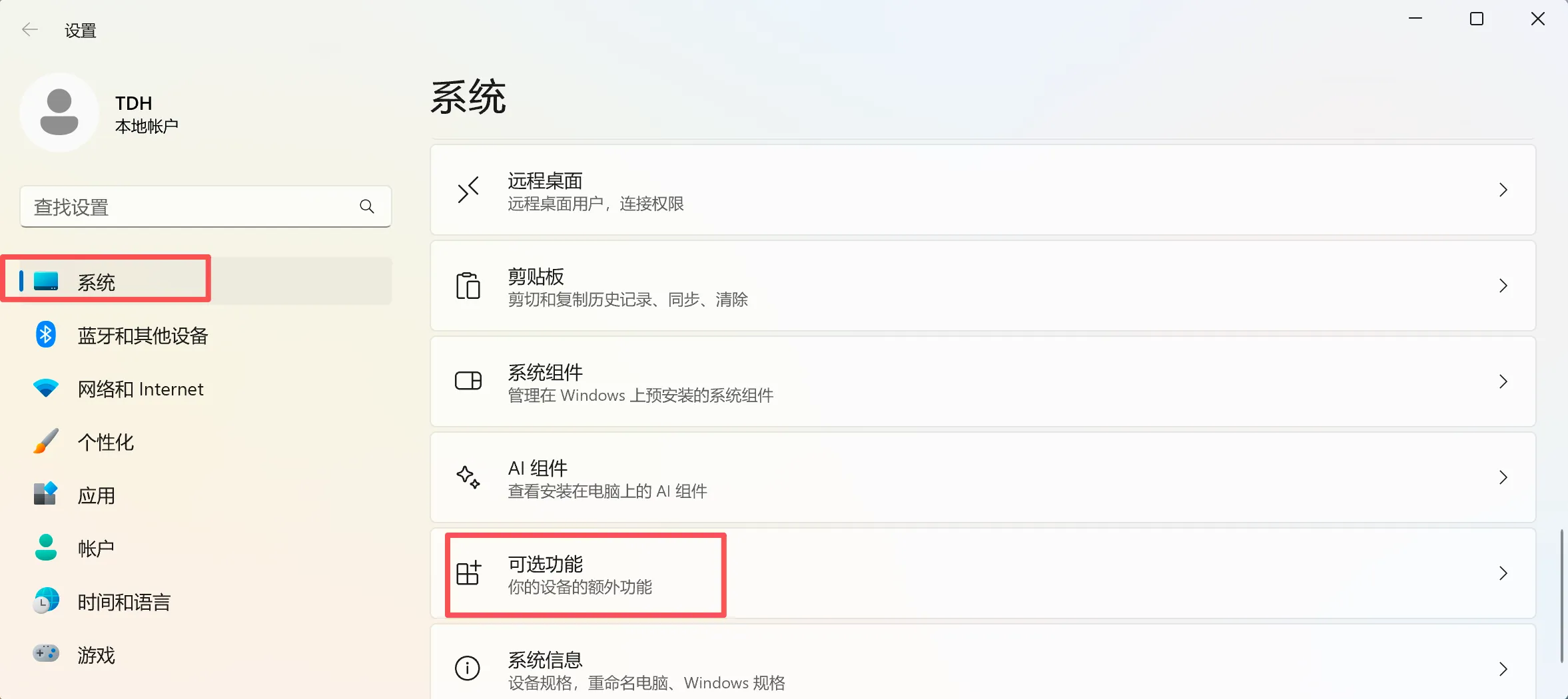
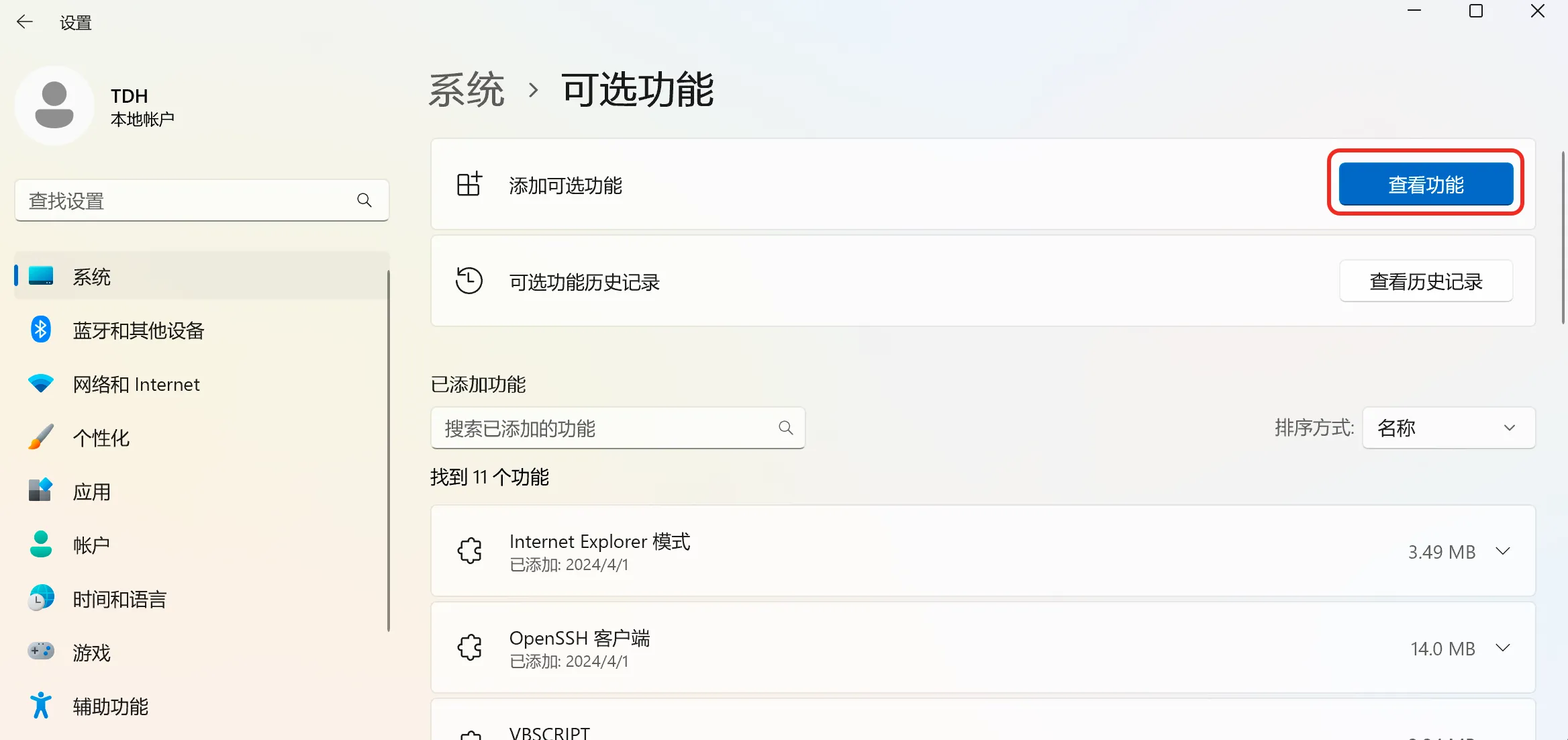
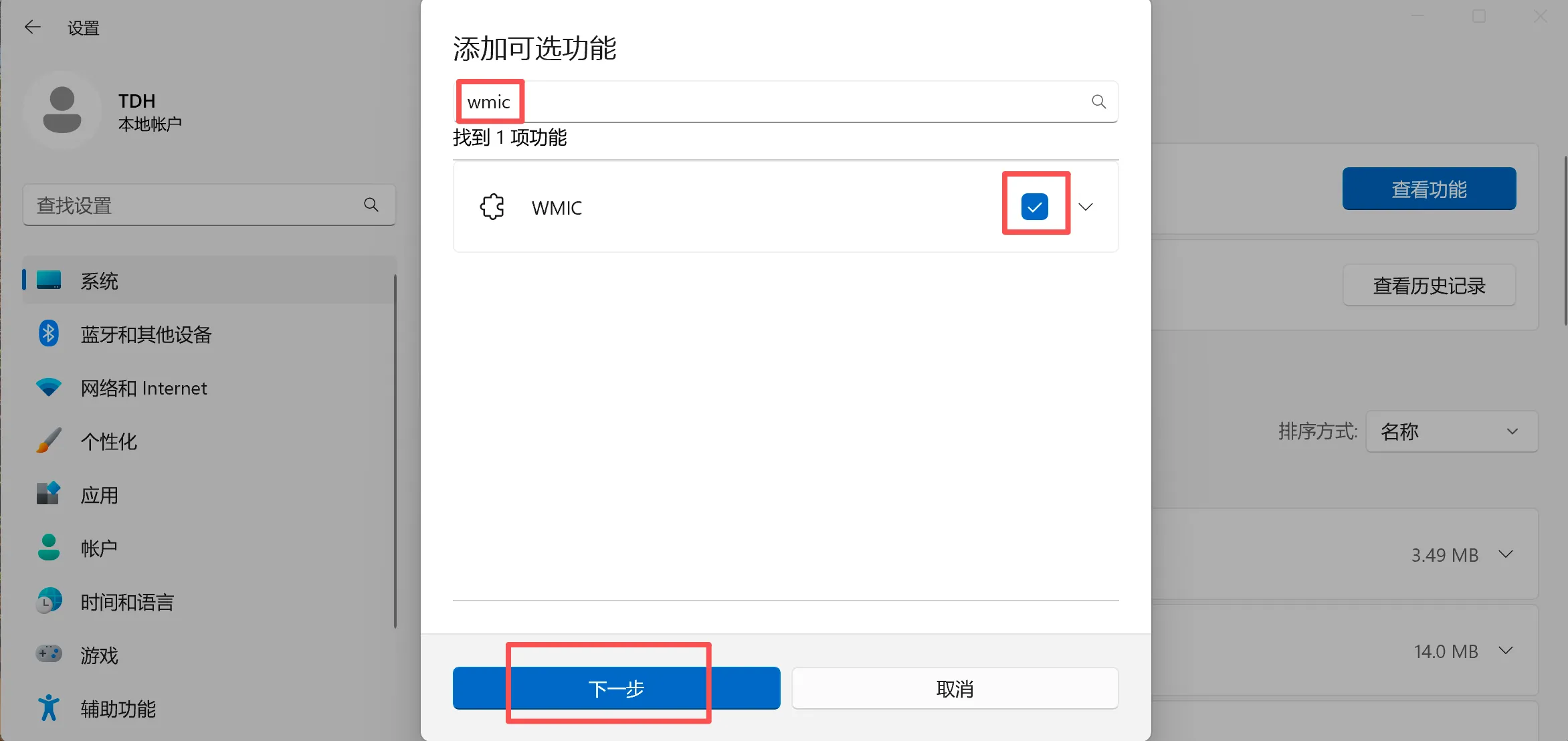
If the IDEA plugin activation fails on the Windows operating system (including no response when clicking Activate), you can first check whether WMIC is activated. If it is not activated, you can refer to the instructions in the figure below to install and activate WMIC.
V. Business Application YAML Modification
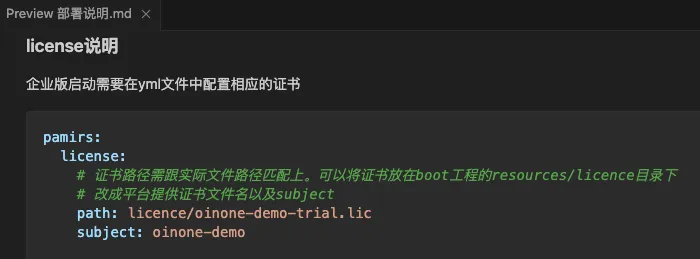
(I) Add License Configuration
The License file is located in the "license" folder of the Enterprise Edition deployment package released by Shushi. For the configuration in the YML file, please refer to "Deployment Instructions.md";
(II) Middleware Configuration for Business Applications
The middleware (ZK/Redis/RocketMQ) configuration of the business system must be consistent with that of the deployed Enterprise Edition designer;
(III) Database Configuration for Business Applications
The database configuration of the business system must be consistent with that of the deployed Enterprise Edition designer;
(IV) New Configuration for Business Projects
logging:
  level:
org.apache.dubbo.registry.client.metadata.store.RemoteMetadataServiceImpl: offTip
Inconsistent middleware and versions under the same base database and same Redis will cause startup verification failure.
VI. Startup/Experience
Now you can enjoy the Oinone Enterprise Edition happily 😀.