I. Introduction
This article explains how to properly initiate GraphQL (GQL) requests and addresses common issues encountered when using GQL tools.
II. Parameter Guide
Request URL and Method
Find the requestURLand HTTP method in the browser's request headers. Ensure the GQL tool uses the exact sameURLand method as the browser request to communicate with the server correctly.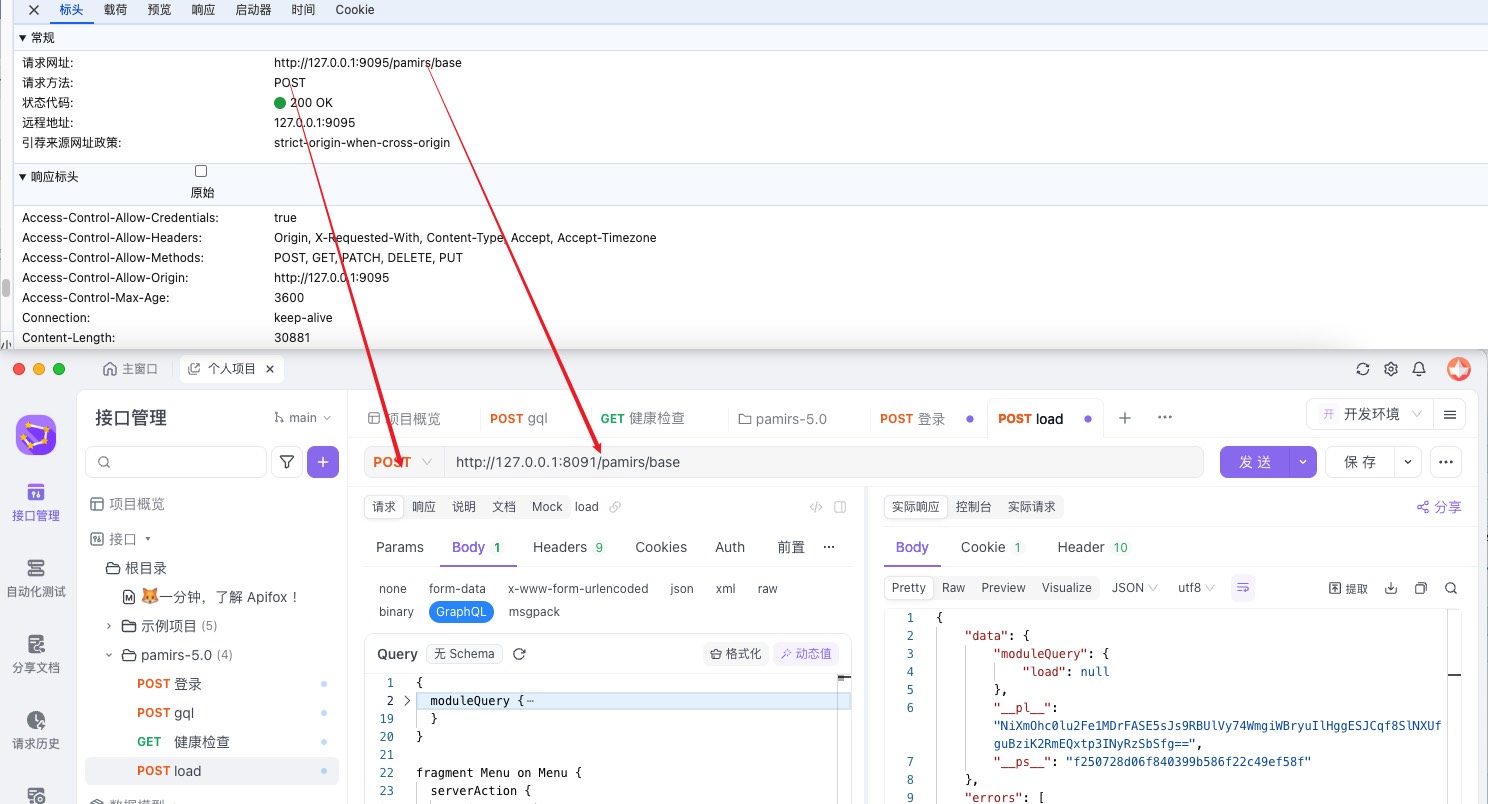
Query and Variables
Each GQL request consists of two main parts:- Query: Defines the structure of the data to retrieve.
- Variables: Dynamic parameters for the query (optional).
To replicate a request:
- Right-click on
QueryandVariablesin the browser developer tools. - Select "Copy Value" and paste them into your GQL tool.
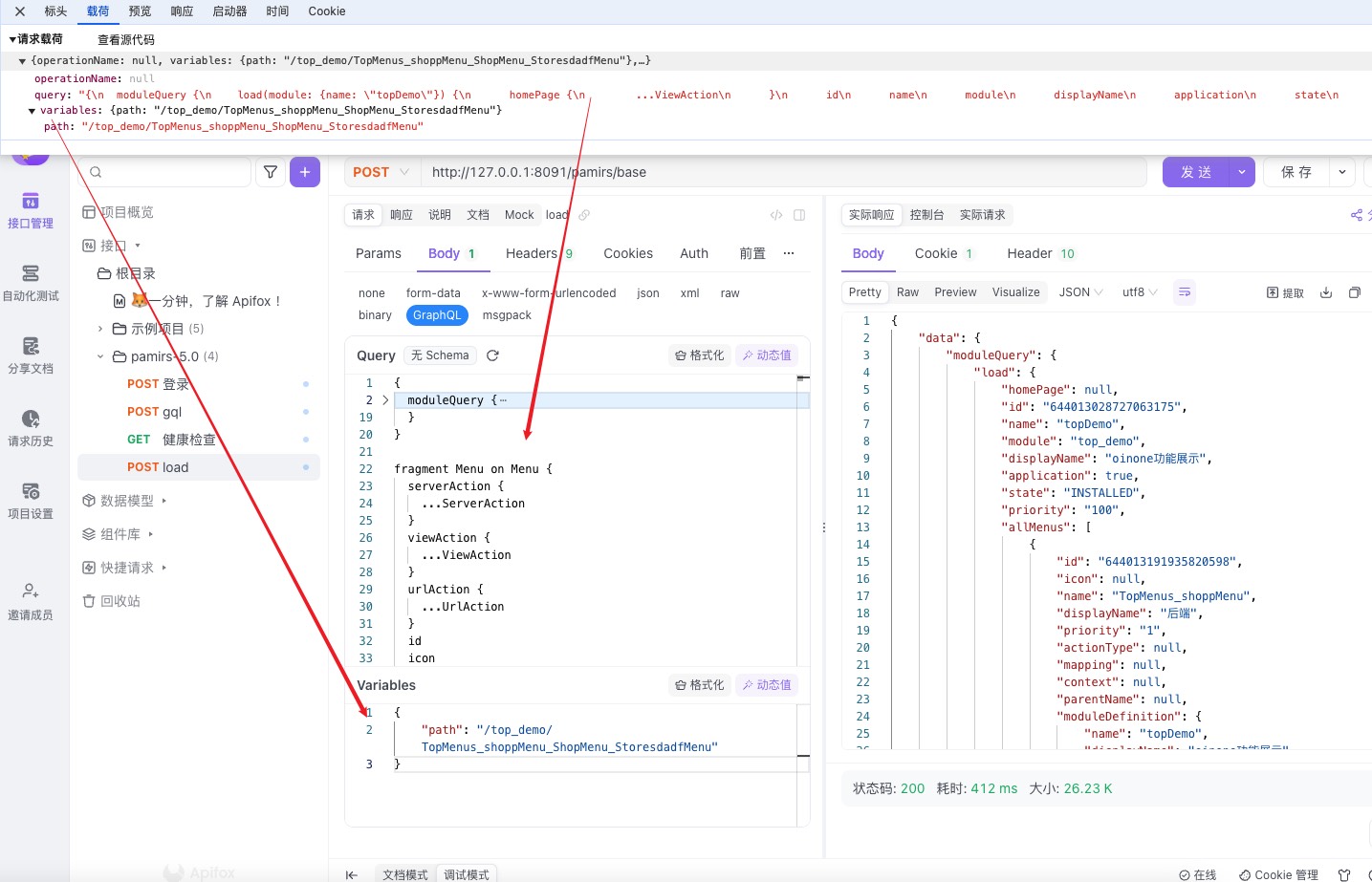
Important Note:
- Admin Accounts: When logged in as an admin, you can omit the
Variablesparameter because admin users bypass permission checks. - Regular Users: Always include the
Variablesparameter. Omitting it will result in permission errors.