I. Error Message
During a GraphQL or page request, the system throws an error indicating that a field cannot be found. However, the requested API does return this field, and the interface data is successfully retrieved but fails to reach the frontend due to this missing field error.
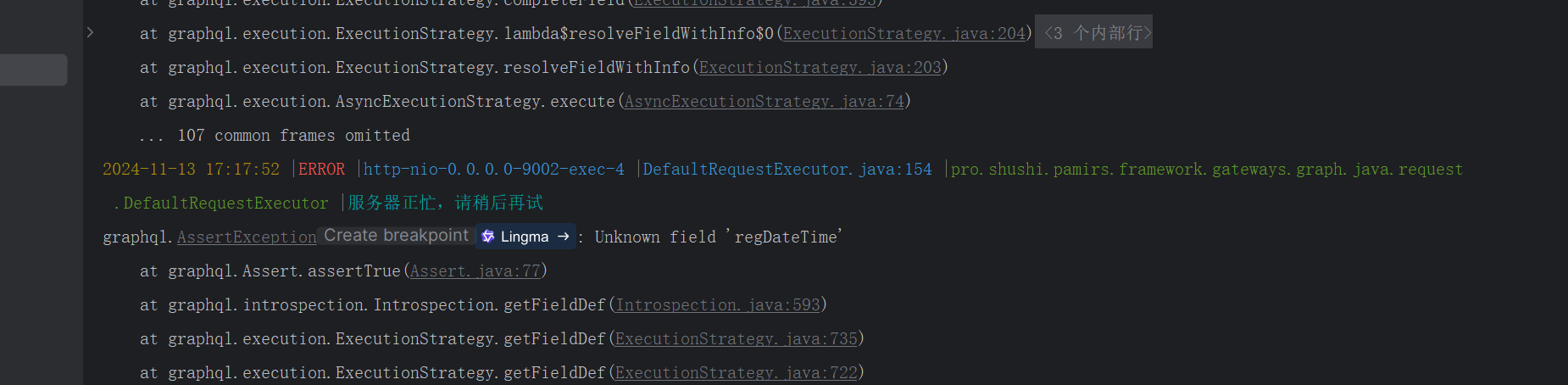
II. Solutions
Check for Page Field Changes Without Interface Designer Updates
- This error may occur if fields on the current page have been modified, but the Interface Designer was not updated to reflect these changes, causing outdated fields to remain in the page configuration.
- Solution: Verify and update the page configuration in the Interface Designer to ensure alignment with the current fields.
Ensure Consistency Between Requested and Defined Models
- For
@Actionor@FunctionDefinitions:- The input and output parameters of these methods must either match the model specified in the
@Model.model()annotation of the current class or be a model fully contained within it (e.g., a parent model).
- The input and output parameters of these methods must either match the model specified in the
- For Page Invocations:
- The
@Actionor@Functionmethods invoked by the page must use Oinone objects as input and output parameters. Basic Java types are not supported because Oinone objects carry metadata essential for automatic frontend-backend interaction.
- The
- For
