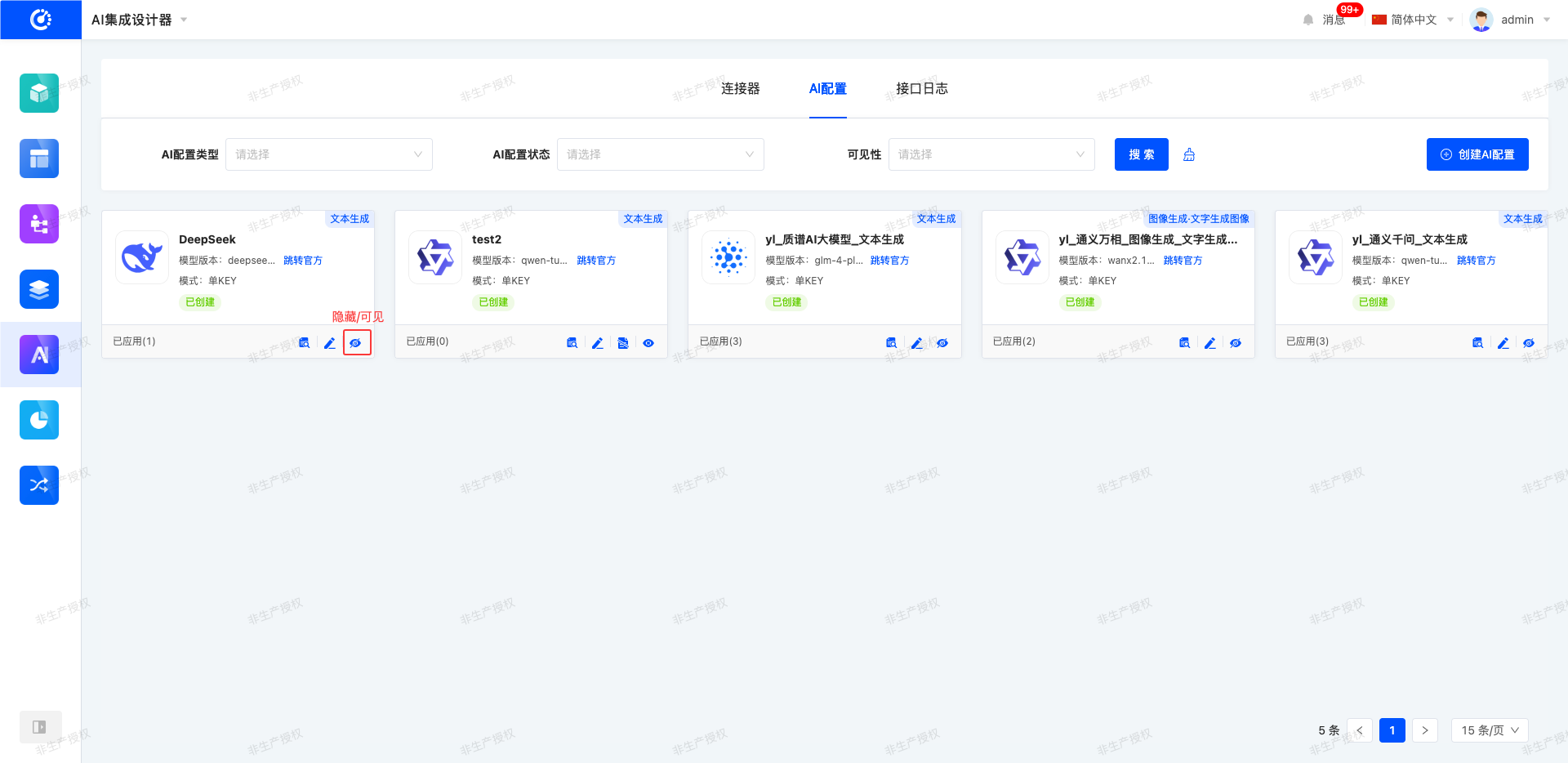
The platform integrates the access solutions of mainstream large AI models in the current market based on four common categories: image generation, text generation, language processing, and video generation. Users can quickly connect to the corresponding large models through a standardized and lightweight operation process. After the connection is completed, parameter configuration is supported in the connector to meet diverse and scenario-based usage requirements.
I. Filtering
1. Function Introduction
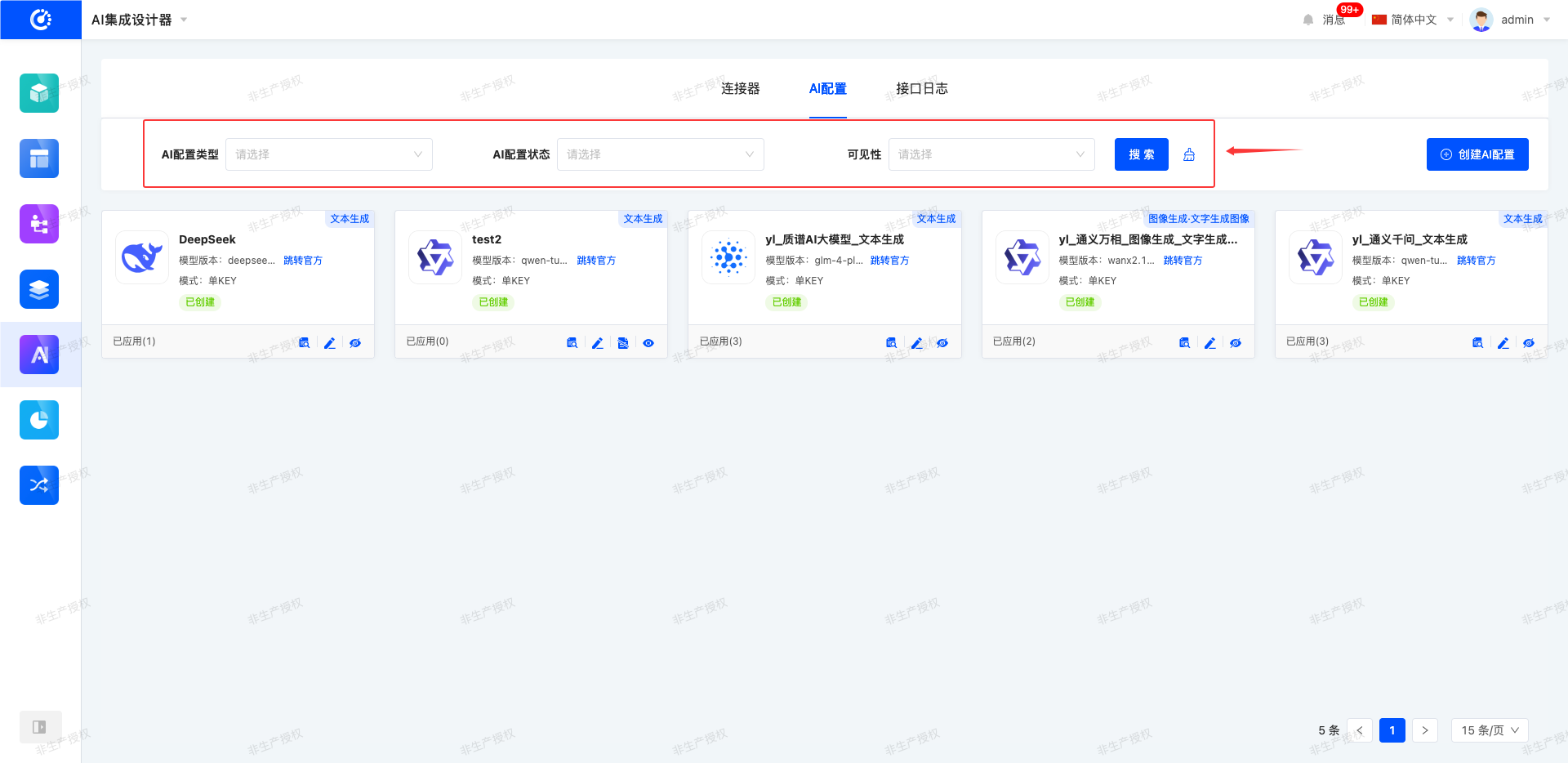
The system supports setting filtering conditions for AI configurations as needed. Users can flexibly set parameters. After filtering, the system will generate a corresponding list to intuitively display AI configuration information and efficiently manage AI configurations.
2. Operation Method
- Filtering: Enter the conditions in the filtering area and click the "Search" button to filter the AI configurations.
- One-click Clear: Click the "Clear" icon to clear the conditions in the current filtering area with one click.
II. Creation
1. Function Introduction
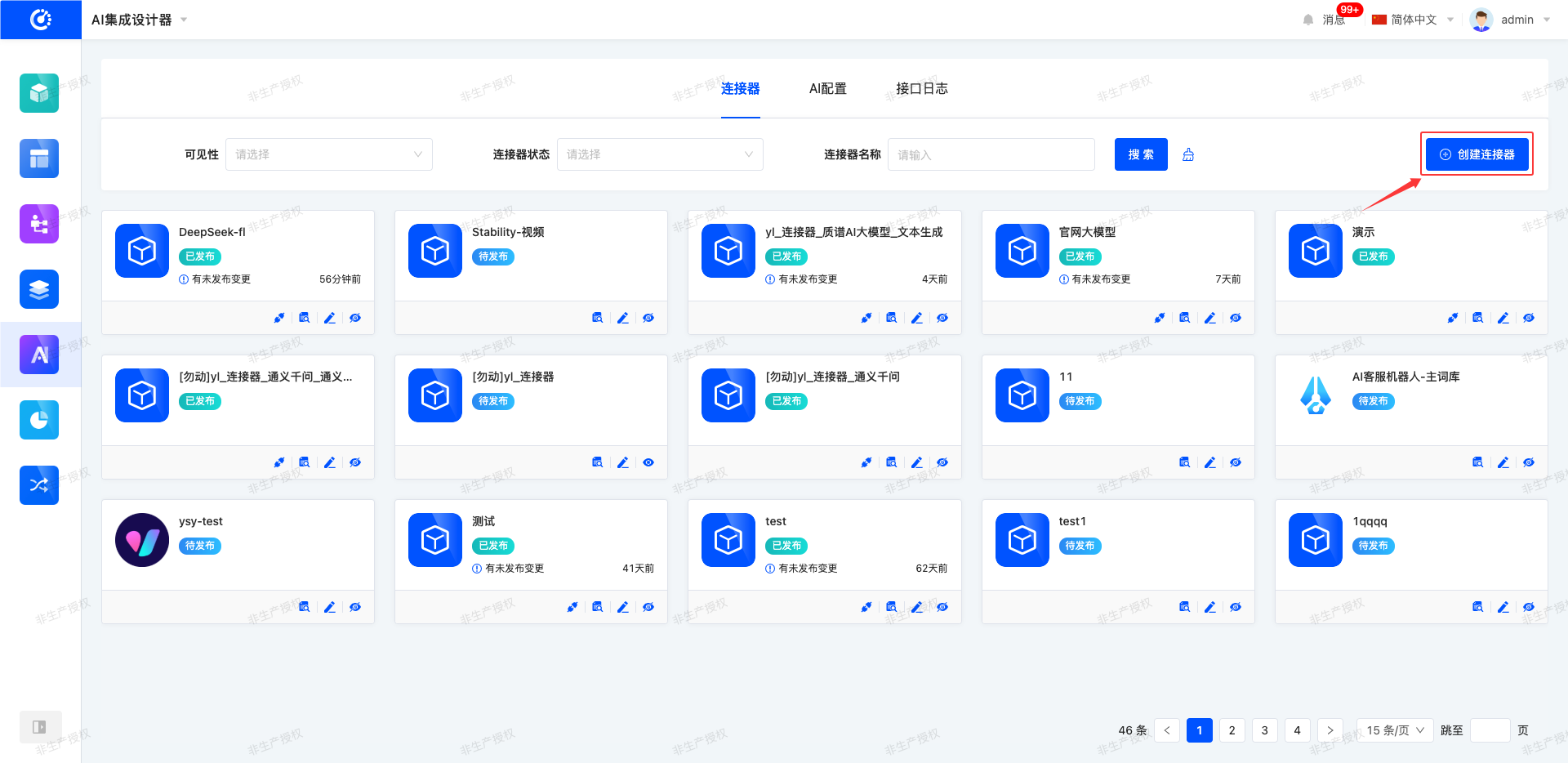
The system provides the function of creating AI configurations, allowing users to define multi-dimensional configuration information such as name, large model URL, and API Key according to business scenarios and usage requirements. The created AI configurations can be used in the connector to achieve adaptation and invocation with various large AI models, providing standardized and modular configuration support for users to build personalized AI application scenarios.
Note
Before publishing an AI configuration, the API Key needs to be verified. Only after the verification is passed can the formal publishing process of the AI configuration be completed.
2. Operation Method
- Click "Create AI Configuration", fill in the information as required on the pop-up page, and then publish to create successfully.
- When designing the connector, click "Add" in the AI configuration list to jump to the corresponding page for creation.
Note
If the AI configuration fails the API Key verification or has incomplete information, the save operation is supported. Users can publish the configuration after improving the relevant information and ensuring that the content is compliant and complete.
III. Viewing
1. Function Introduction
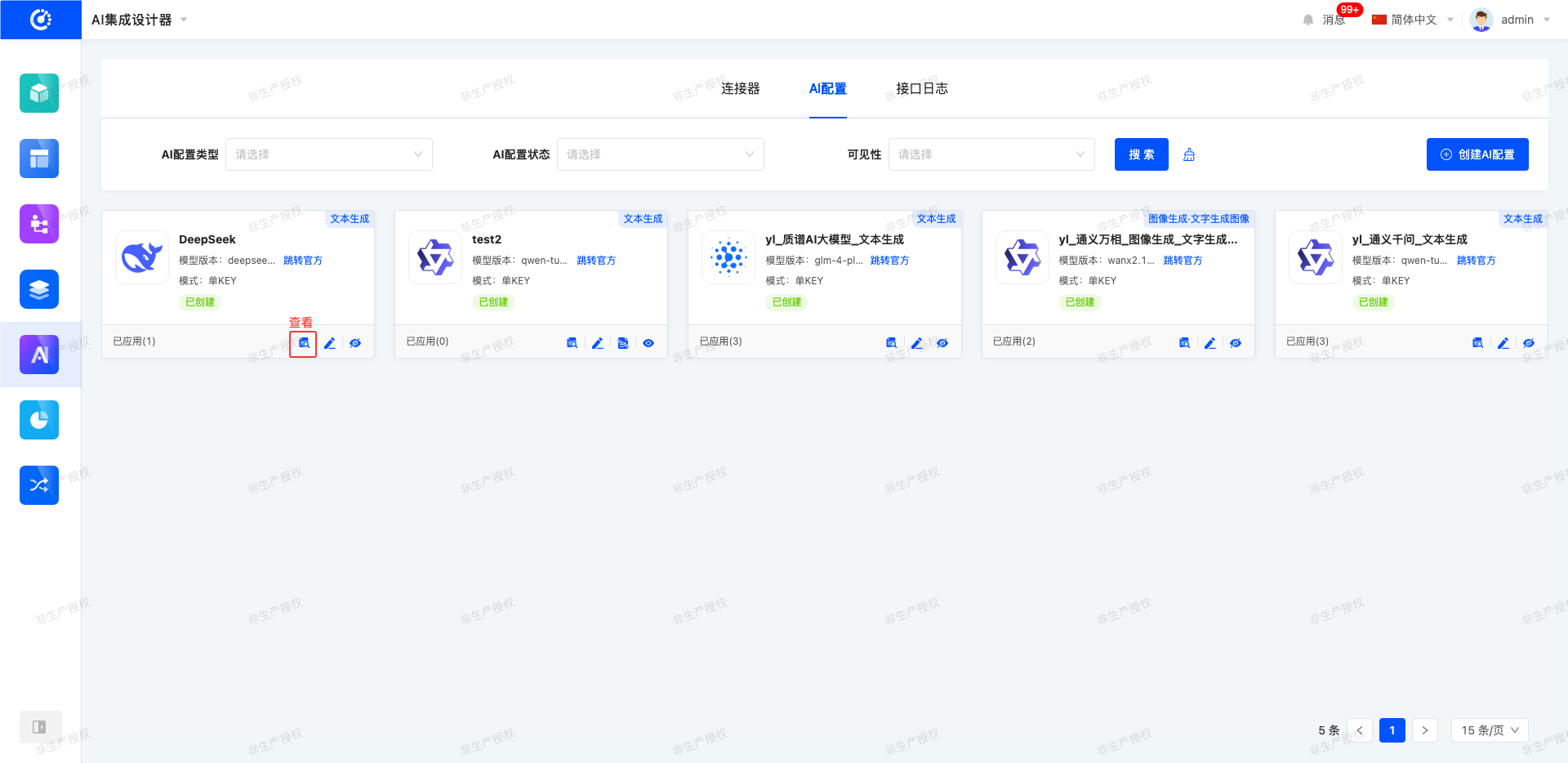
For existing AI configurations, it supports quickly viewing the connection order and detailed configuration information of the AI configurations.
2. Operation Method
- Click the "View" icon to jump to the corresponding page for viewing.
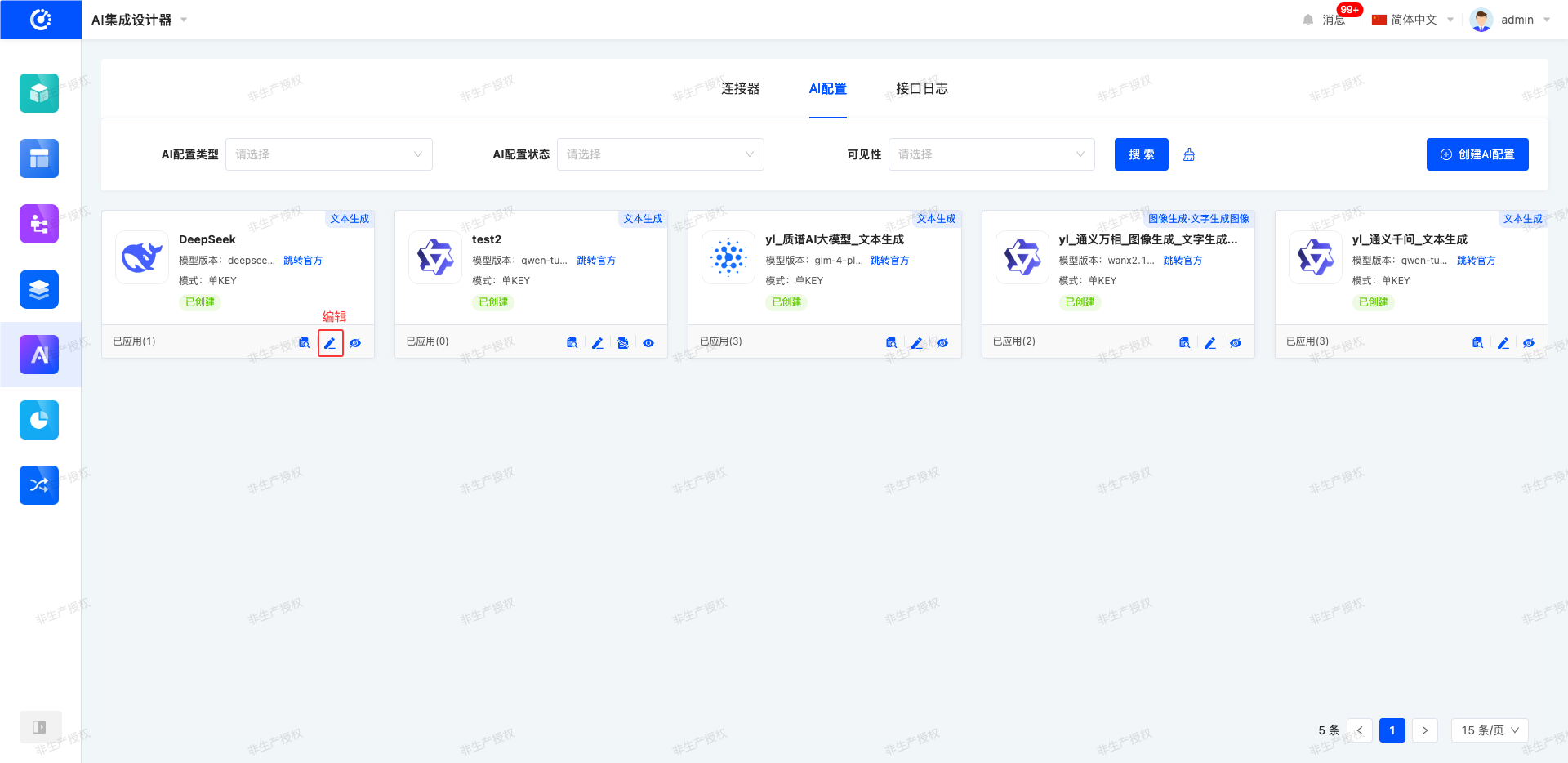
IV. Editing
1. Function Introduction
For the created AI configurations, they can be edited and modified, including adjusting large model information or changing the API Key.
2. Operation Method
Click "Edit" to edit on the jumped design page.
V. Discarding
1. Function Introduction
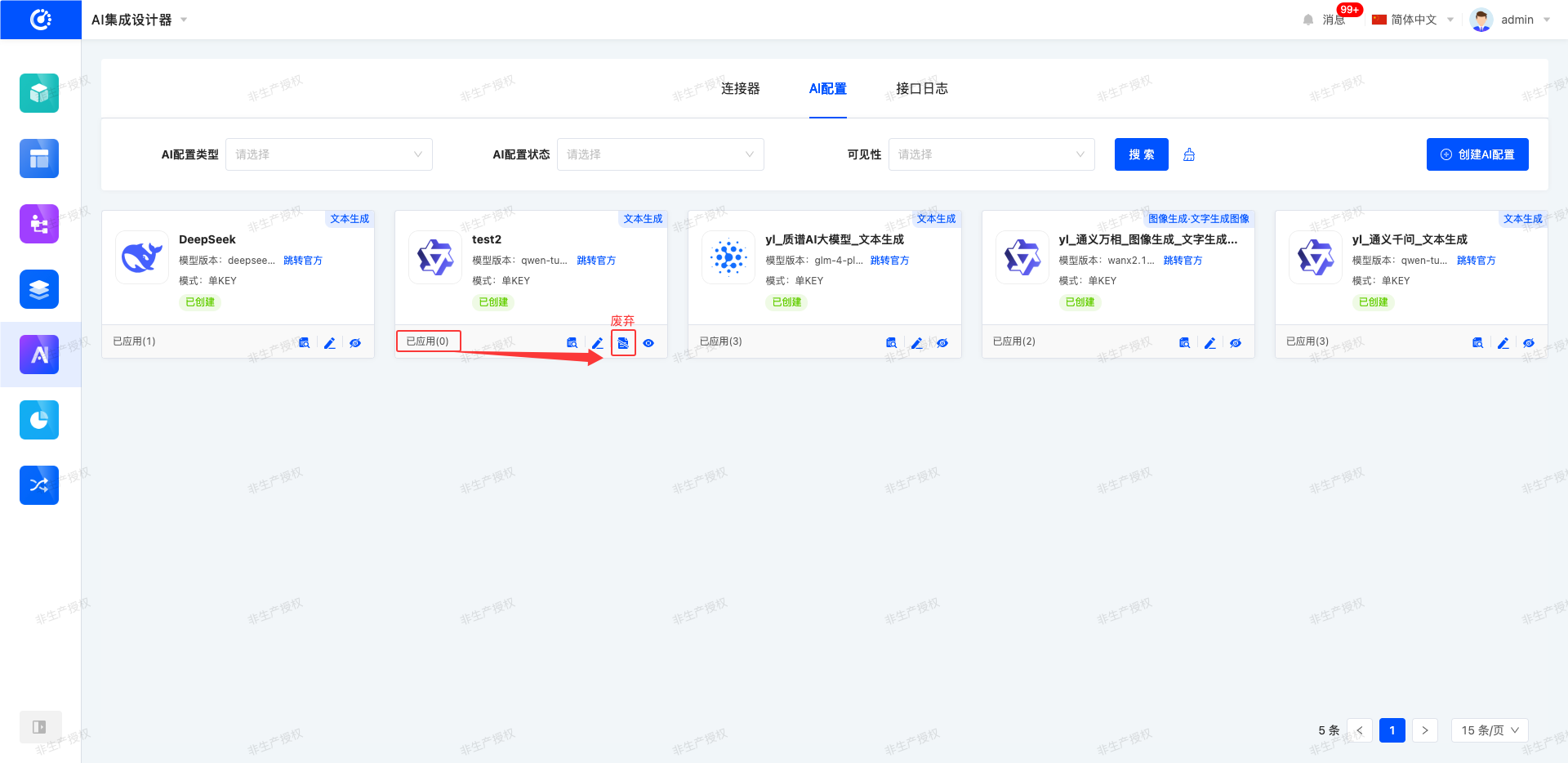
For AI configurations that are no longer in use, you can choose to discard them, that is, delete the AI configurations.
Note
AI configurations that are already in use are not allowed to be discarded.
Warning
Once an AI configuration is deleted, it cannot be recovered. Please operate with caution!
2. Operation Method
Click the "Discard" icon to directly delete the AI configuration.
VI. Hiding/Showing
1. Function Introduction
For AI configurations that are not currently in use, the hiding operation can be performed. Hidden AI configurations cannot be used, but it does not affect the data that is already in use. If needed in the future, simply set the hidden AI configuration to the visible state to put it back into use.
2. Operation Method
Click "Hide" to set the AI configuration to the hidden state; click again to restore the AI configuration to the visible state.