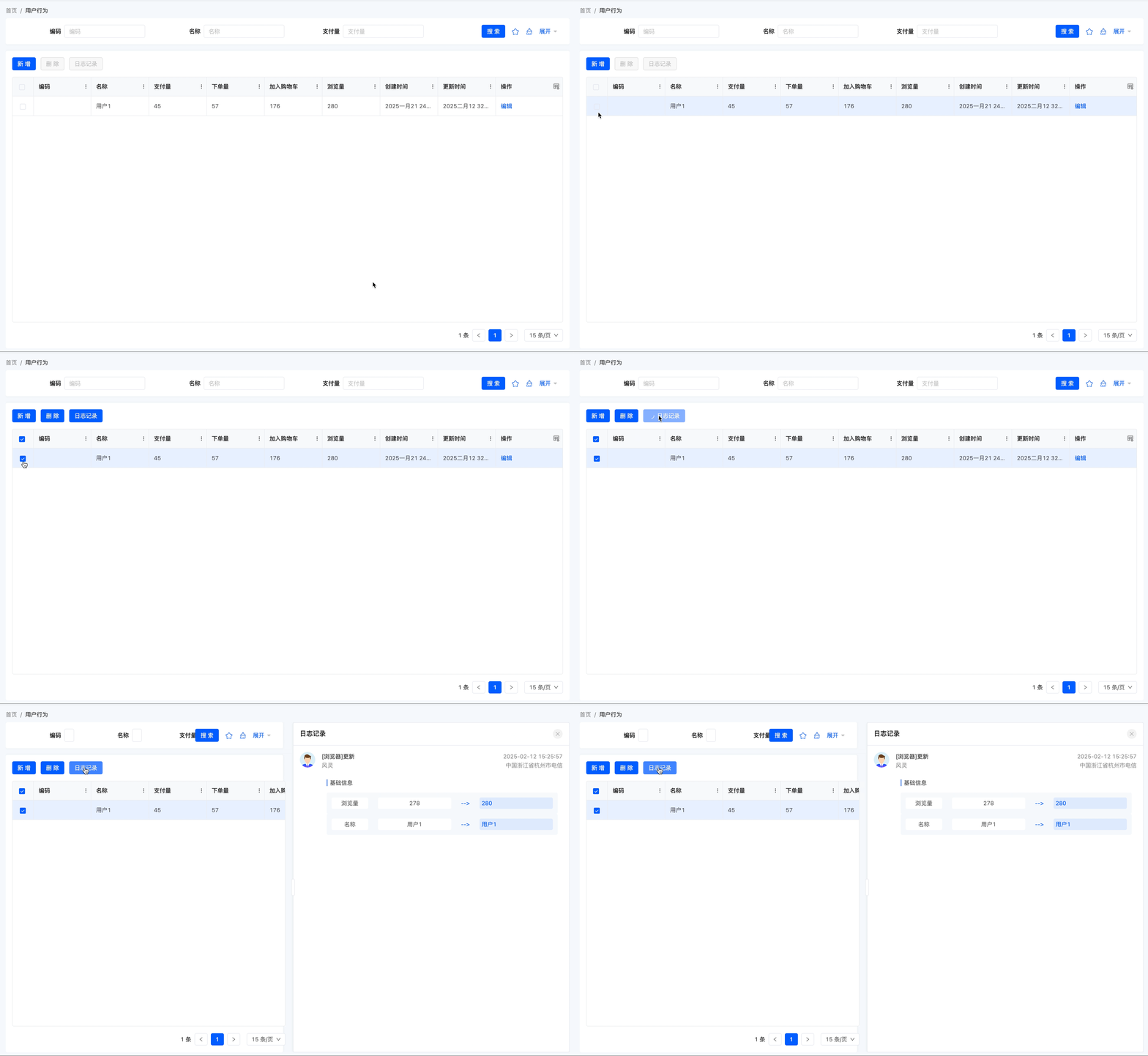
Ⅰ. Login Logs
1. Function Introduction
The system automatically generates login logs based on users' login behaviors, recording detailed login information of users.
2. Operation Methods
- Filter: Input or select corresponding filter conditions according to actual scenario requirements to filter login logs.
- Export: It supports exporting login logs. You can choose to use the preset export template or customize export fields according to actual needs.
- Details: Click "Details" to view detailed information of the selected login log.
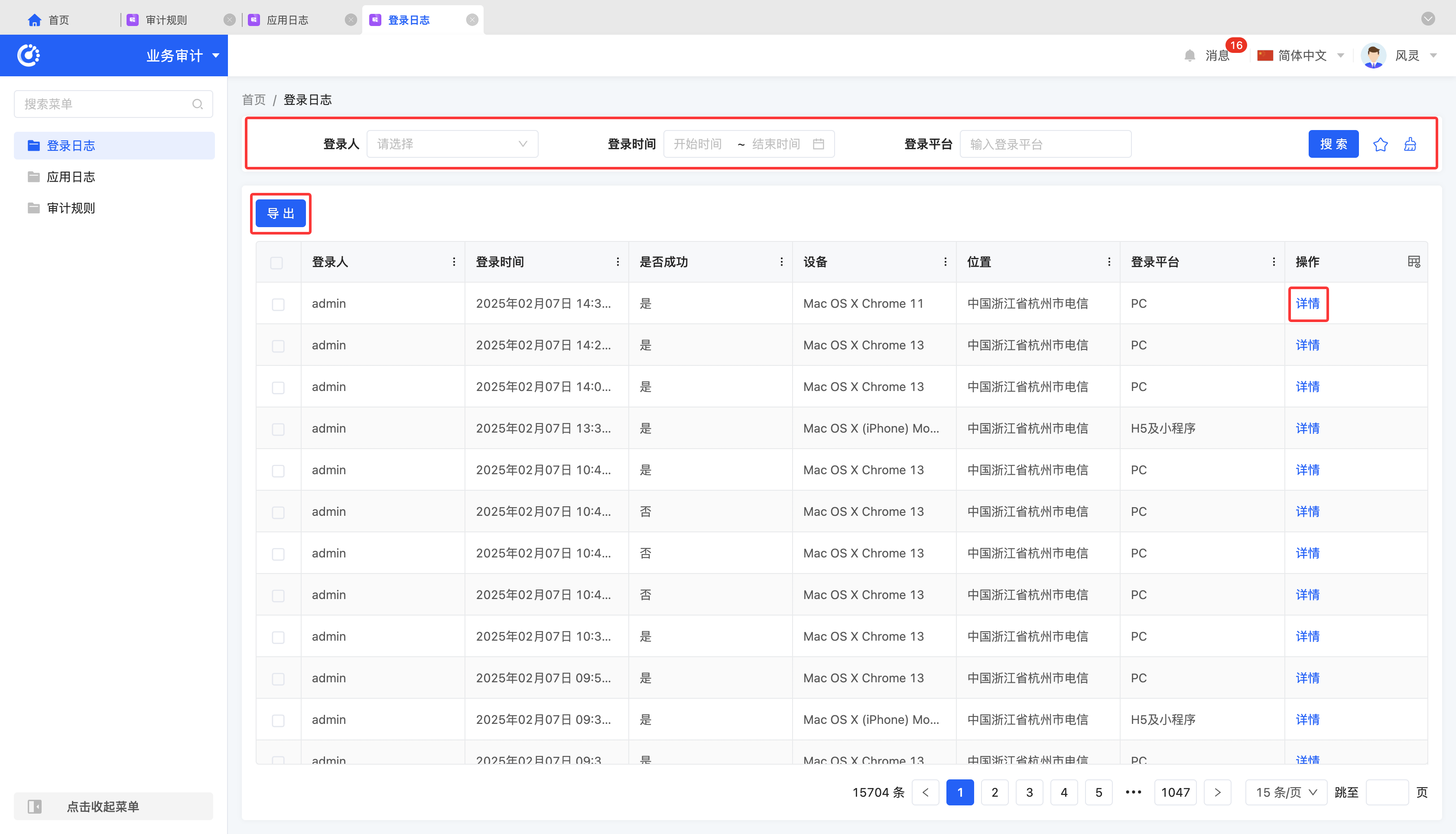
Ⅱ. Application Logs
1. Function Introduction
The system automatically generates application logs based on content changes of models and fields defined in audit rules, recording detailed operation information of users.
2. Operation Methods
- Filter: Input or select corresponding filter conditions according to actual scenario requirements to filter application logs.
- Export: It supports exporting application logs. You can choose to use the preset export template or customize export fields according to actual needs.
- Details: Click "Details" to view detailed information of the selected application log, including basic information and associated information.
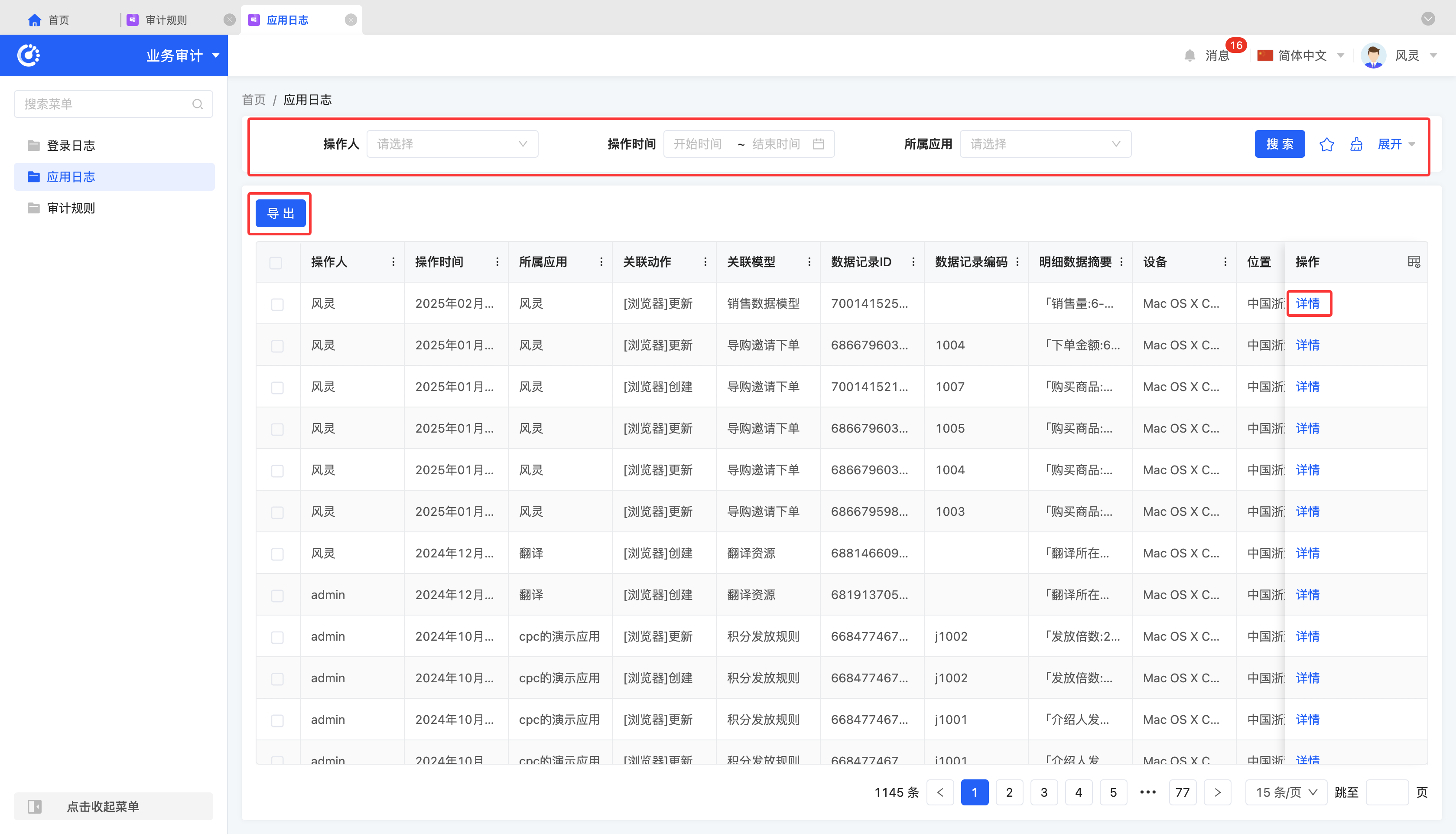
Ⅲ. Audit Rules
1. Function Introduction
To record changes of models and fields, users can customize audit rules. Once an audit rule is generated, whenever an operation on the model or field causes a change, the system automatically generates a corresponding record in the application log for subsequent tracing and verification.
Tip
If the "Log Recording" component is used on the page generated by this model, you can select specific data on the page to view its change information. The change information will be recorded according to the audit rules, similar to the application log.
2. Operation Methods
- Filter: Input or select corresponding filter conditions according to actual scenario requirements to filter audit rules.
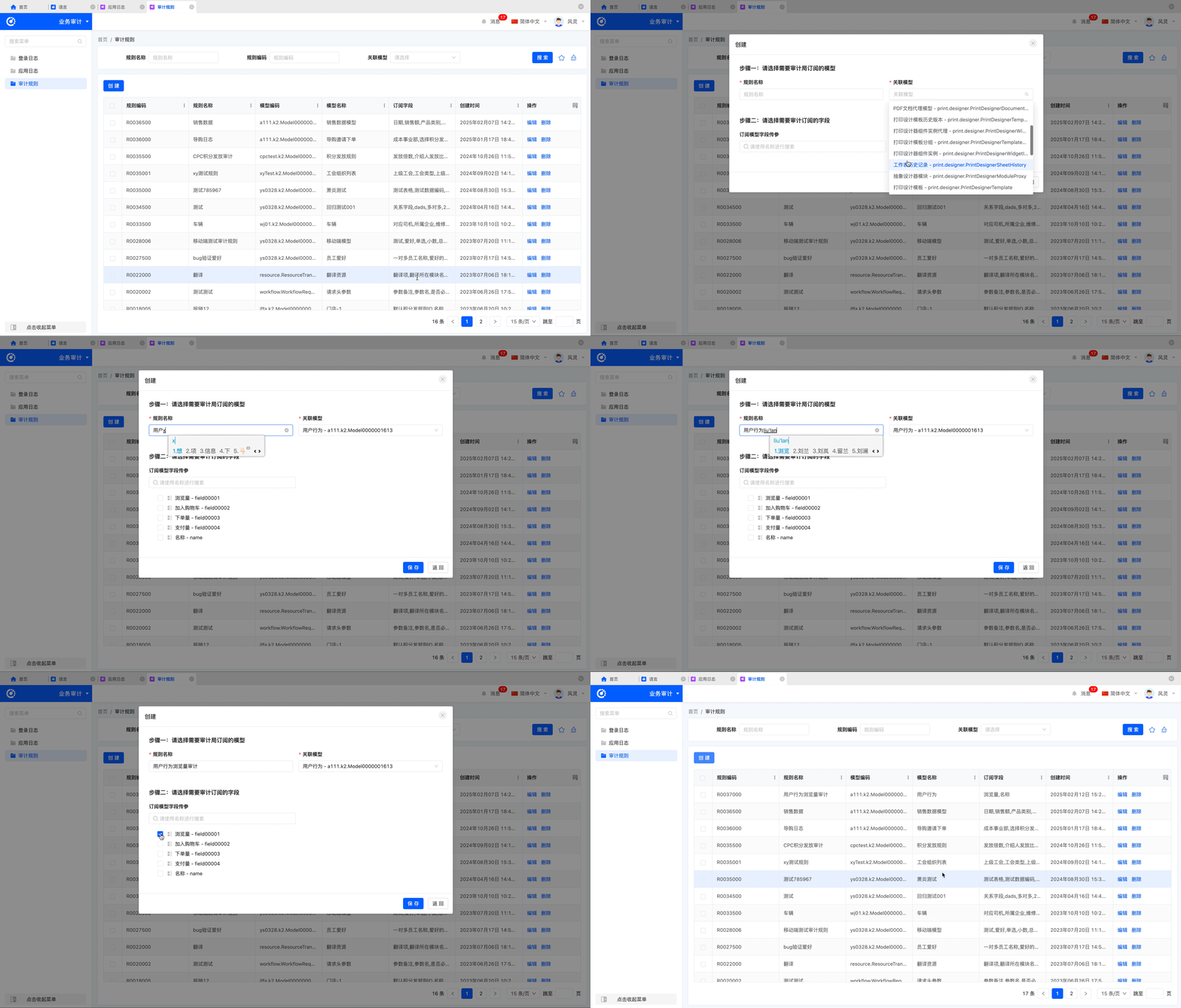
- Add: Click "Create", input the required configuration information and save it to successfully create a new audit rule.
- Edit: Click "Edit" to update or modify relevant information of the audit rule.
- Delete: Select an audit rule and click "Delete" to delete it.
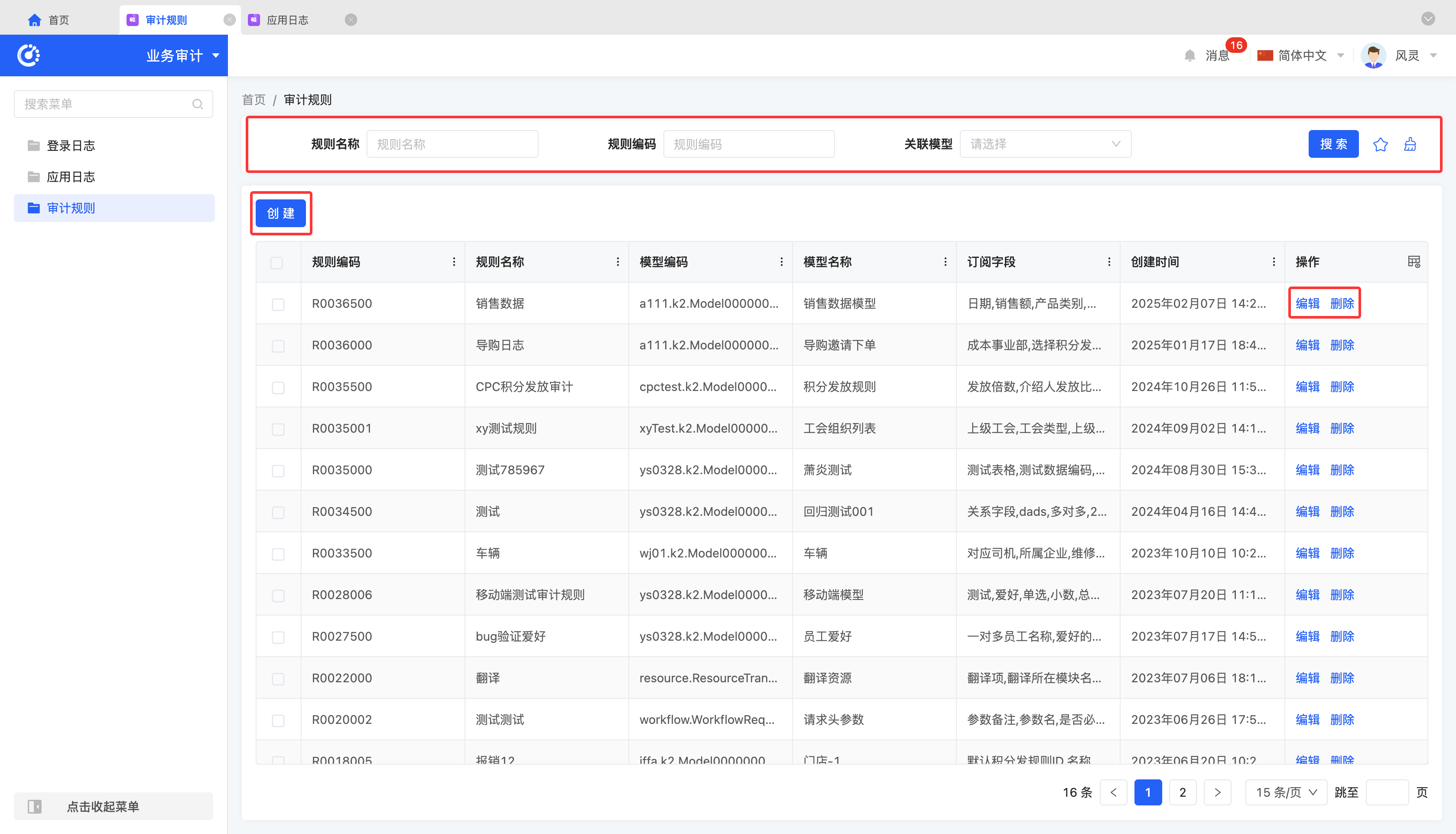
Example
Configure an audit rule: When the "Page Views" field in the "User Behavior" model changes, an application log will be generated and saved.
After the data changes, you can view it in the "Application Logs".
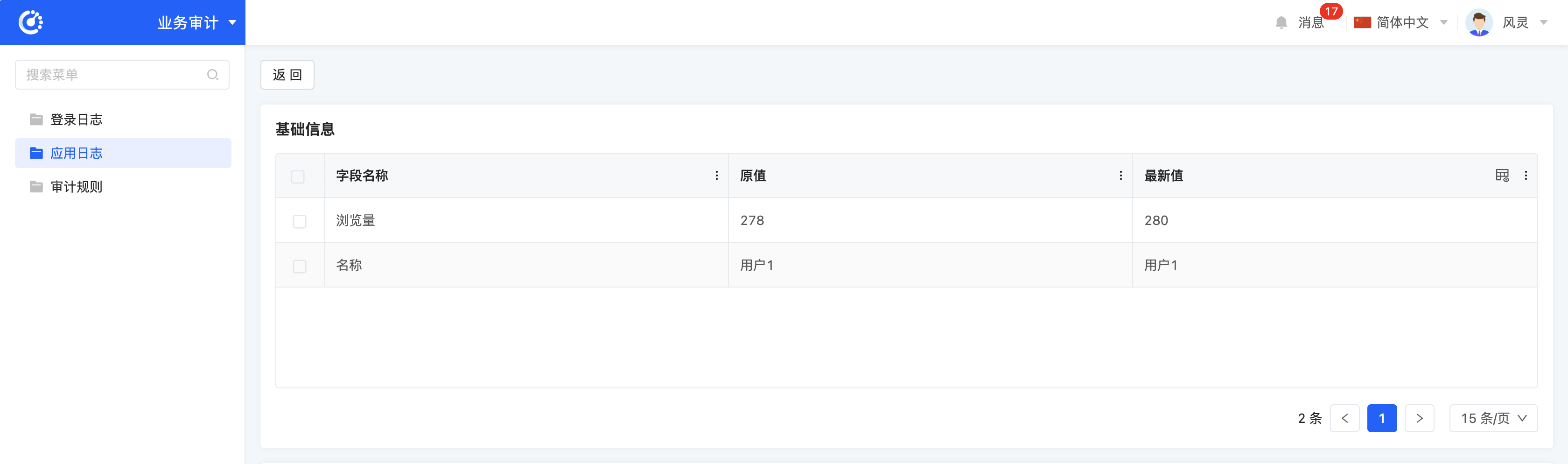
Meanwhile, an "Log Recording" operation button is configured on the "User Behavior" page, allowing you to view change information of the corresponding data.